

![Grey 2-pack 90 degree USB-C to USB-C right angle adapters #style_grey [2-pack]](http://jsaux.com/cdn/shop/files/90_-USB-C-to-USB-C-Right-Angle-Adapter-grey-1.png?v=1755238920&width=92)


![JSAUX anti-glare matte screen protector for ROG Ally and ROG Xbox Ally series #style_[2-pack] for all rog ally models](http://jsaux.com/cdn/shop/files/GP0113A-Anti-Glare-Screen-Protector-for-ROG-Ally-_-ROG-Xbox-Ally-Series-1_jpg.png?v=1762310072&width=92)


![JSAUX anti-glare screen protector 2-pack for Lenovo Legion Go 2 with alignment frame #model_for legion go 2 [2-pack]](http://jsaux.com/cdn/shop/files/GP0132-Anti-Glare-Screen-Protector-for-Legion-Go-2-1.png?v=1766136633&width=92)


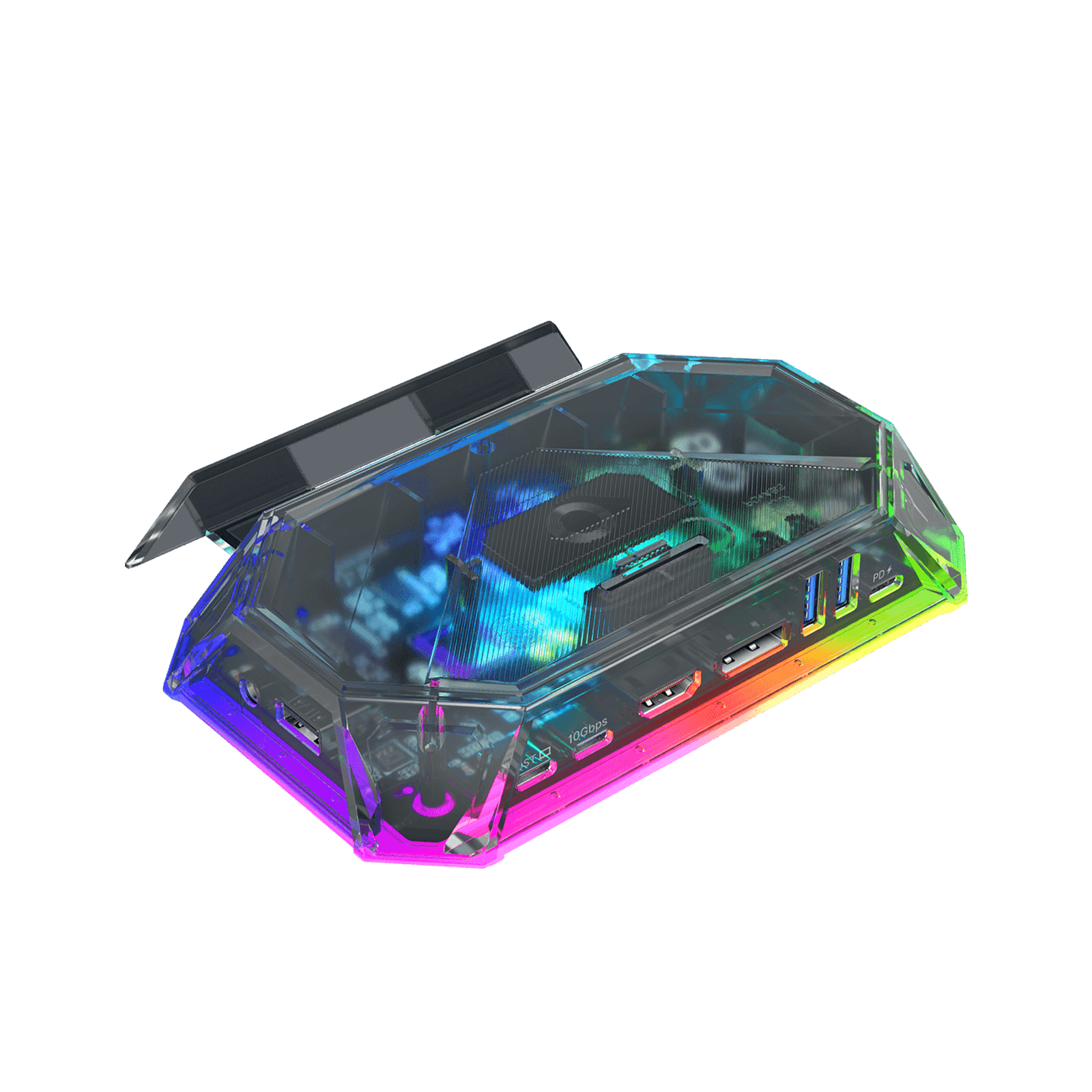
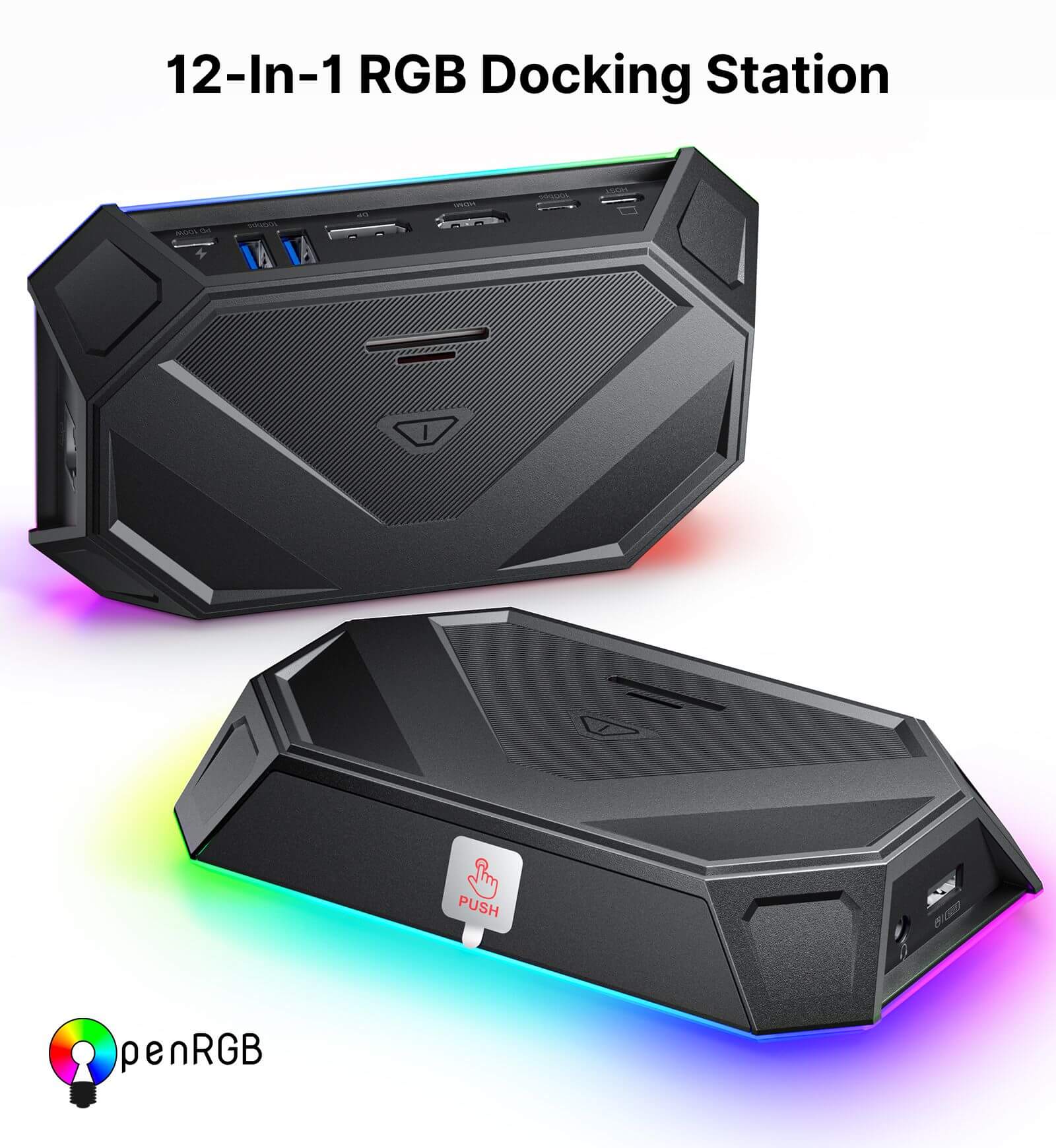
RGB Docking Station
Same items showing “sold out” can still be purchased via the blue “Buy With Prime” button. An Amazon Prime membership is required.
FEATURES
- RGB Gaming Docking Station for Handheld Devices
- Upgraded HDMI Technology
- Customizable RGB Lighting with OpenRGB Support
- Ultra 4K Output and Dual Screen Display
- 10Gbps Data Transfer & PD 100W Charging
SHIPPING

In The Press
Both the RGB Docking Station and the Silicone Grip Case Set look to be more good investments if you love your ROG Ally.

JSAUX continues to be the leaders of accessories for the Steam Deck.

You should buy this if versatility and compatibility with multiple devices is important to you.





FEATURES
Description
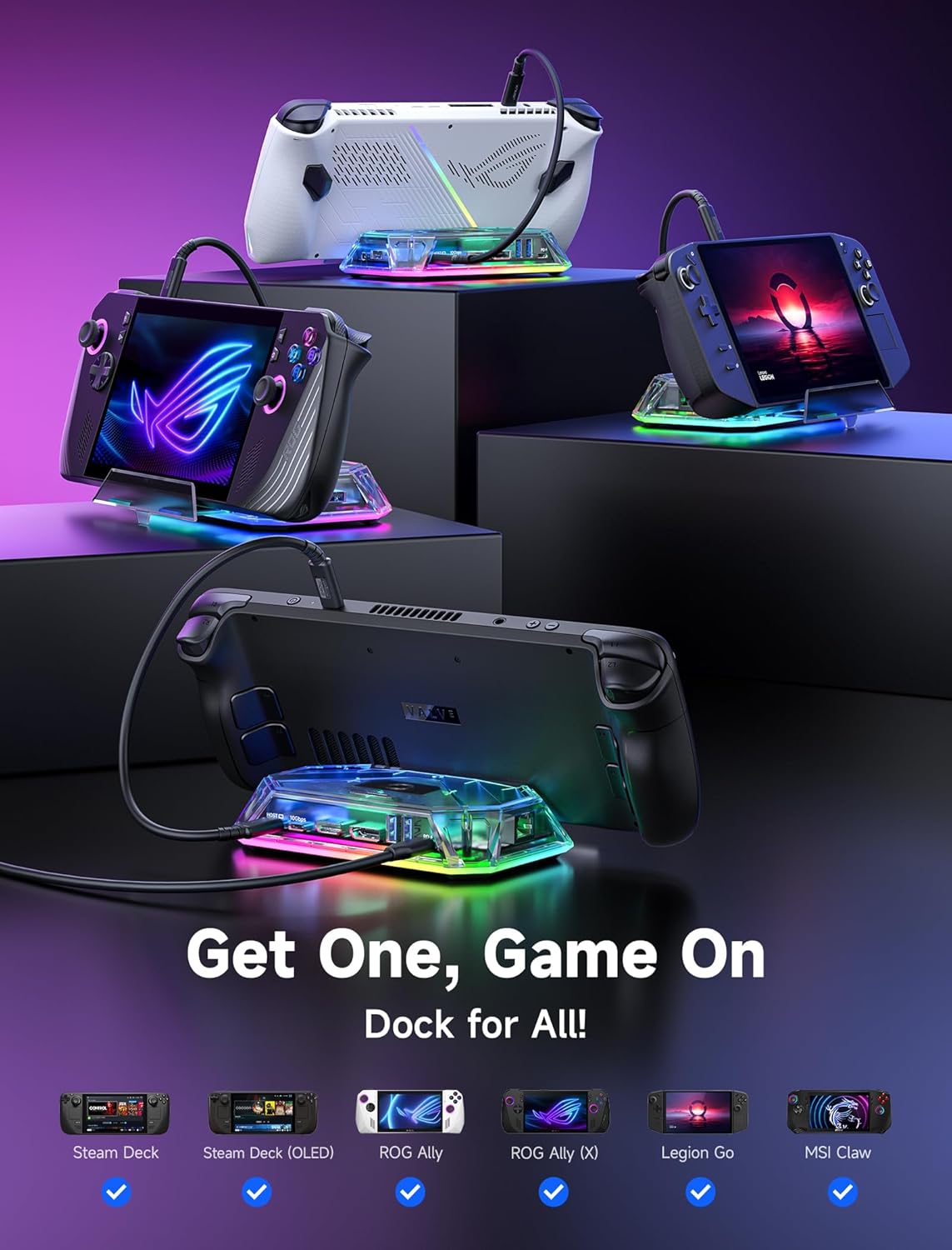
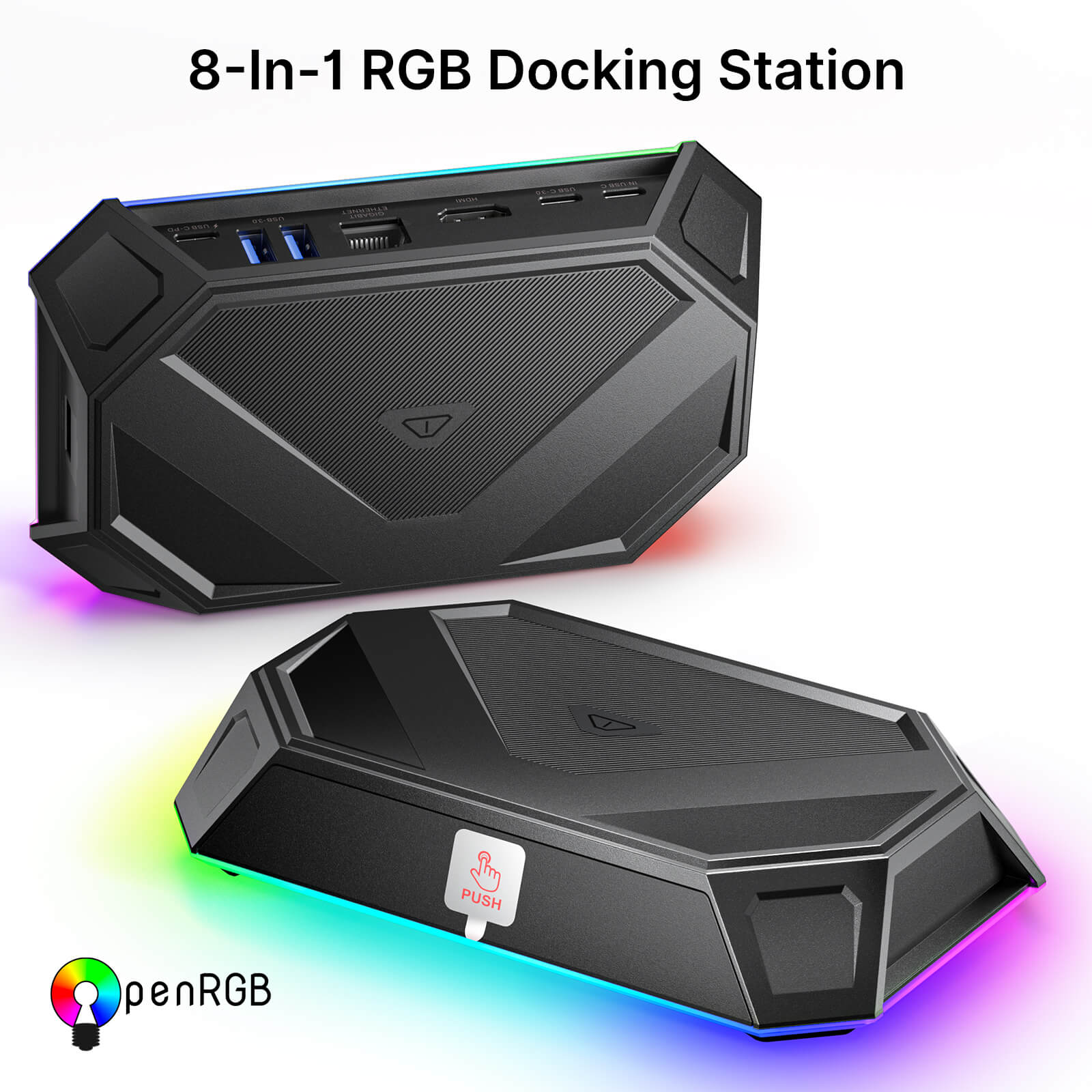
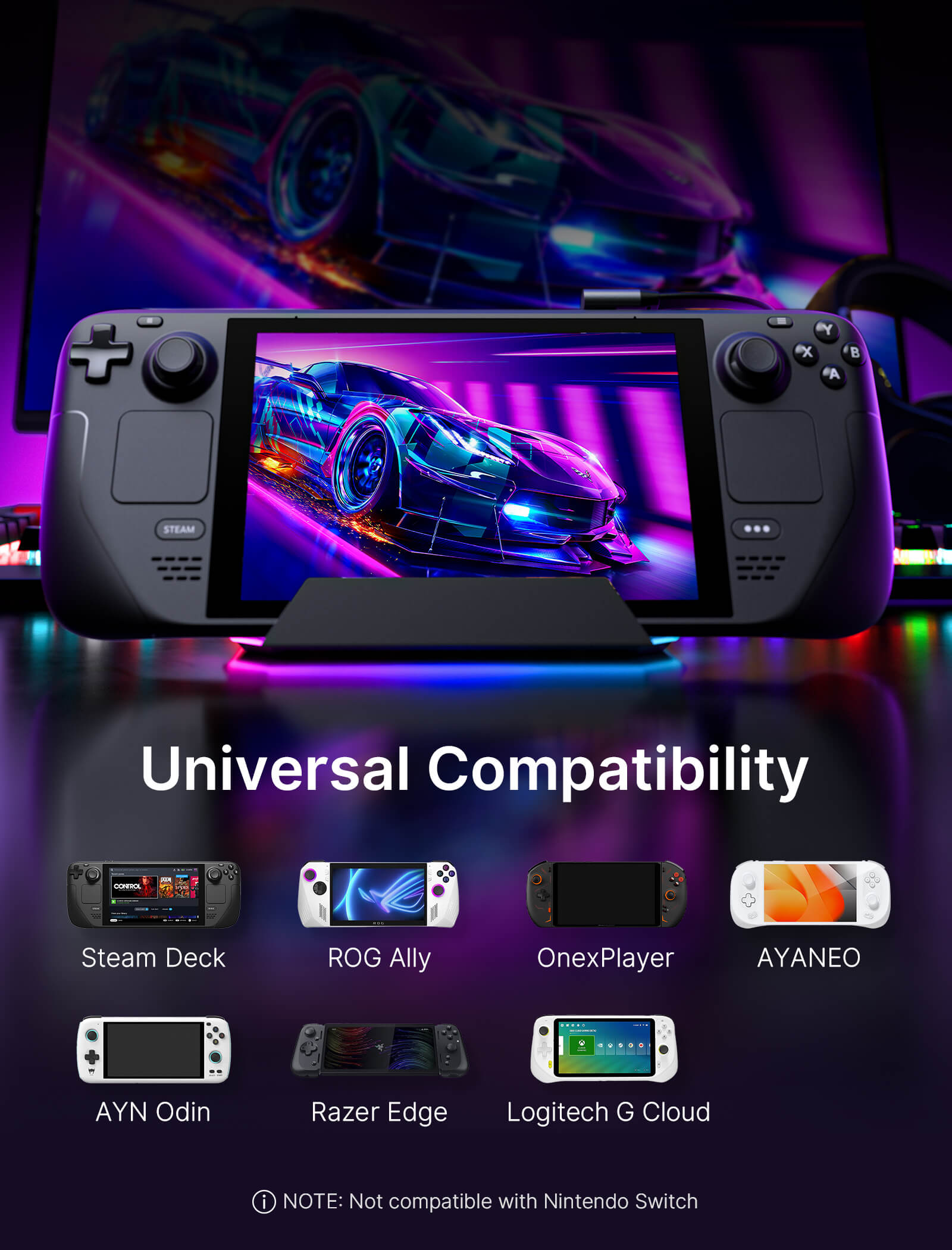
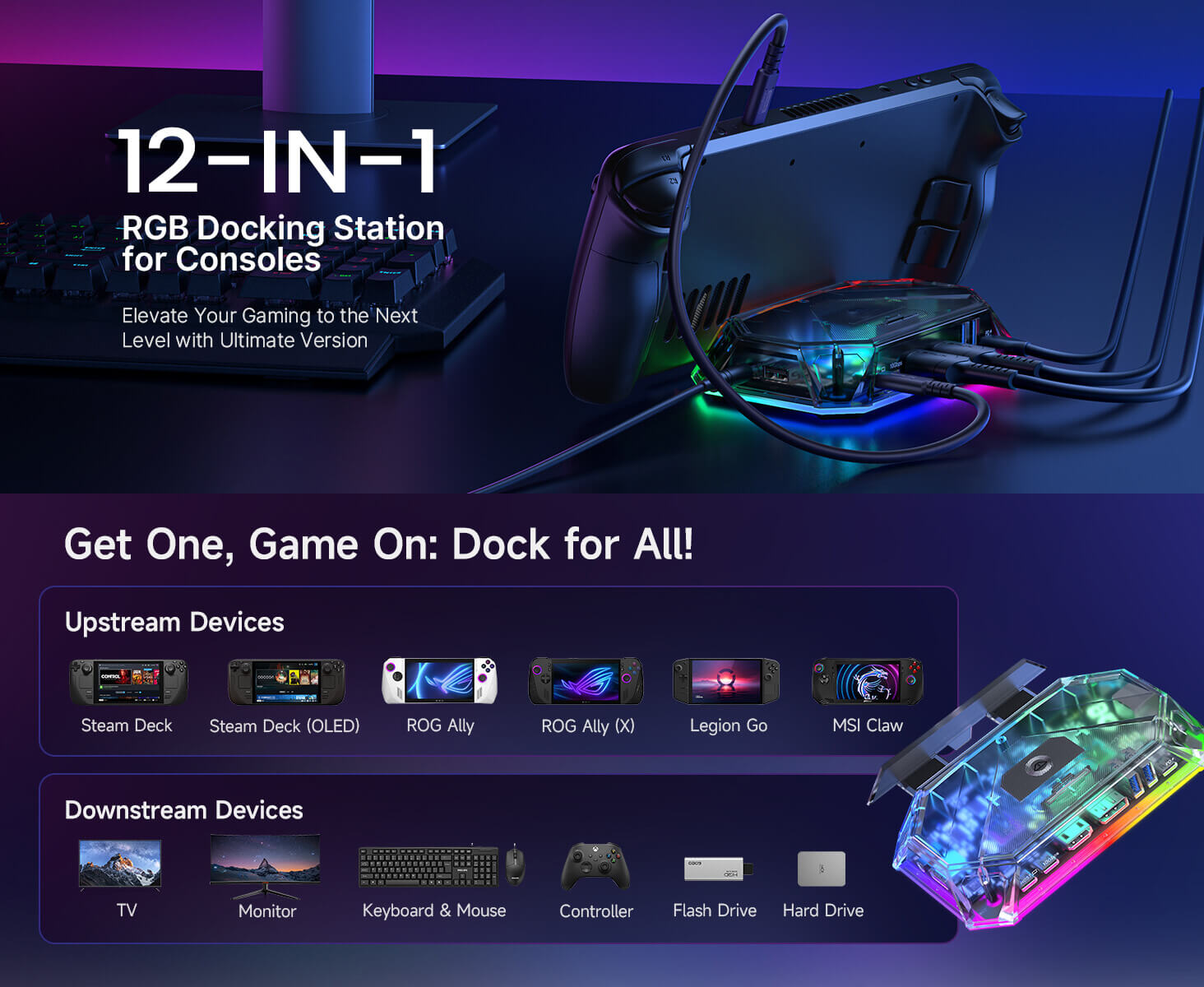
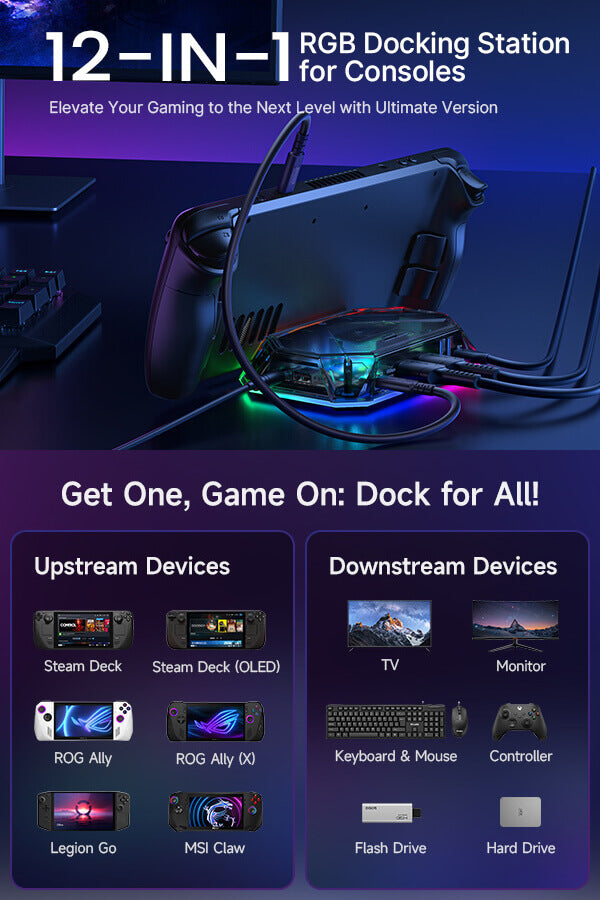
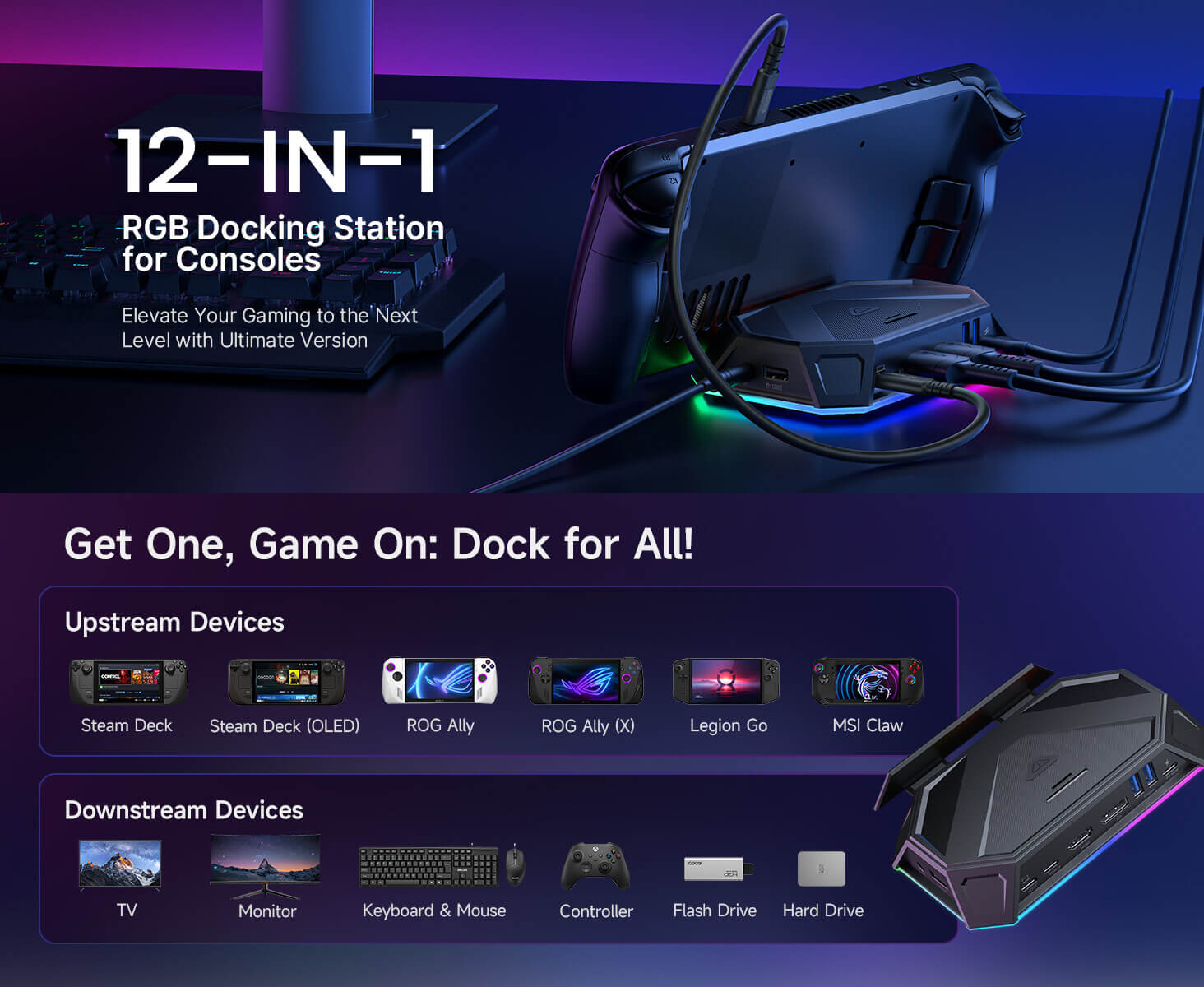
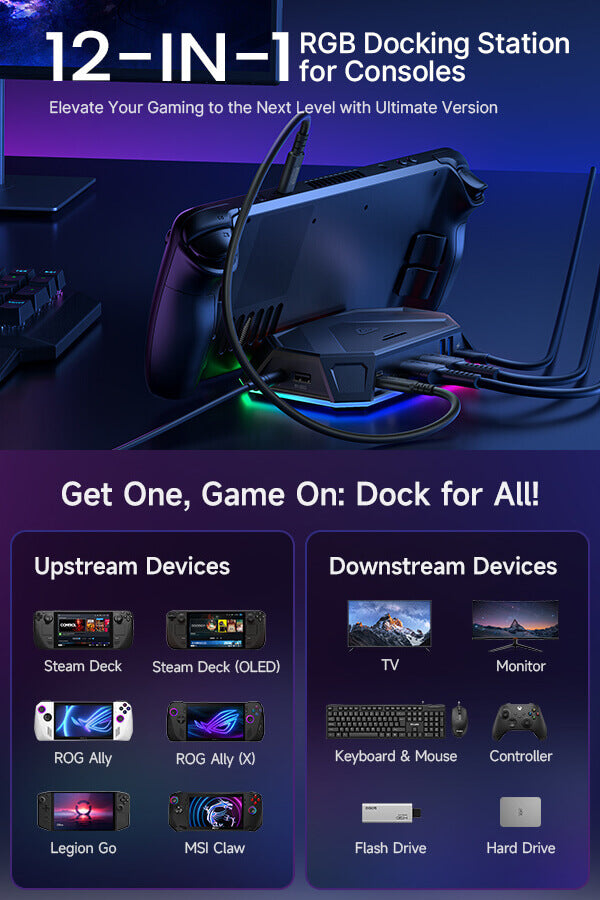
- 【RGB Gaming Docking Station for Handheld Devices】High-performance RGB docking station designed for Steam Deck, ROG Ally, Legion Go and other USB-C handhelds, available in 8-in-1 and 12-in-1 expansion configurations for different setups.
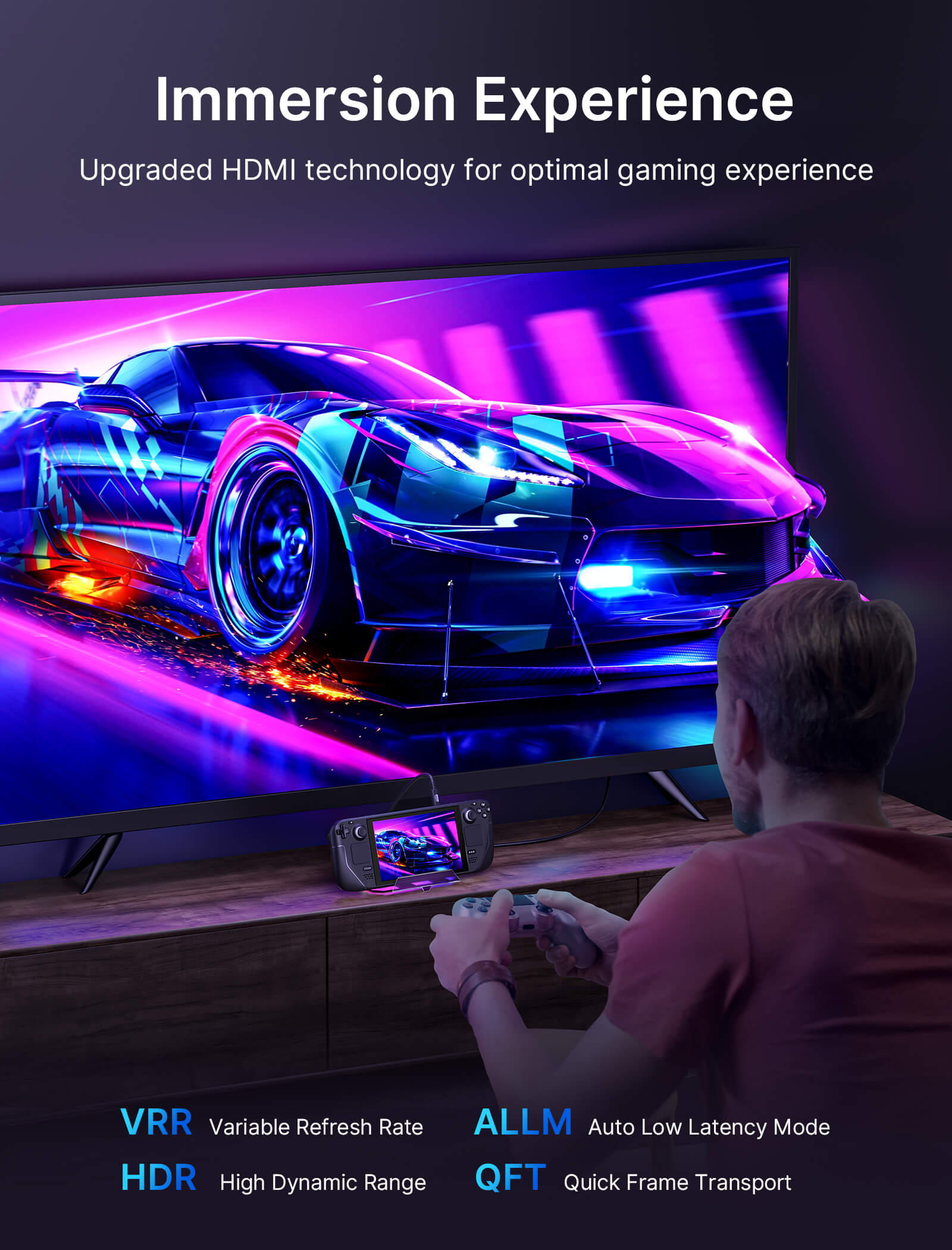
- 【Upgraded HDMI Technology】Equipped with cutting-edge HDMI technology, the upgraded dock supports Variable Refresh Rate (VRR), Auto Low Latency Mode (ALLM), and HDR to eliminate screen tearing, stuttering, and input latency. Delivering lossless visual transmission between gaming consoles and displays, it ensures ultra-smooth gameplay and immersive detail for an unrivaled gaming experience
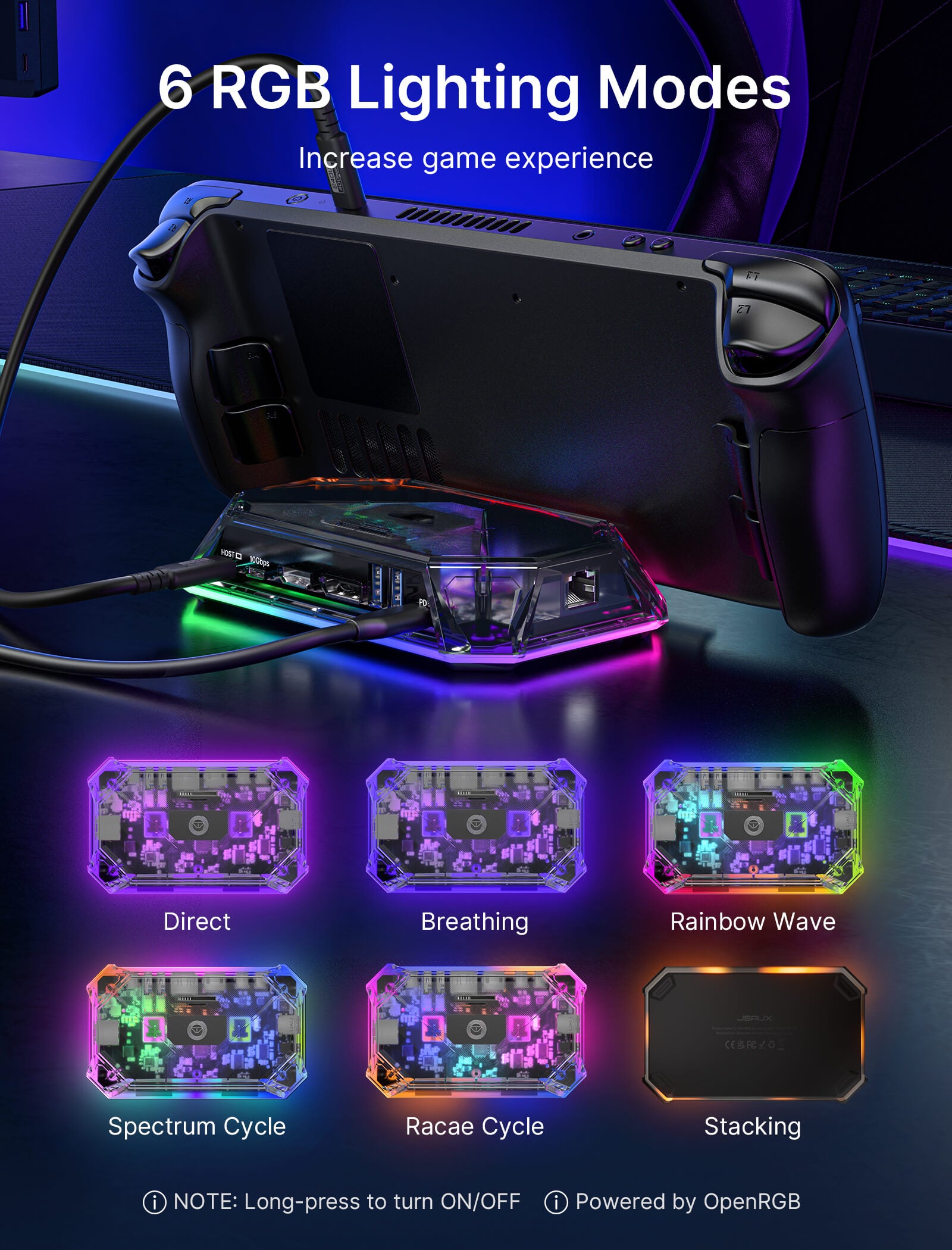
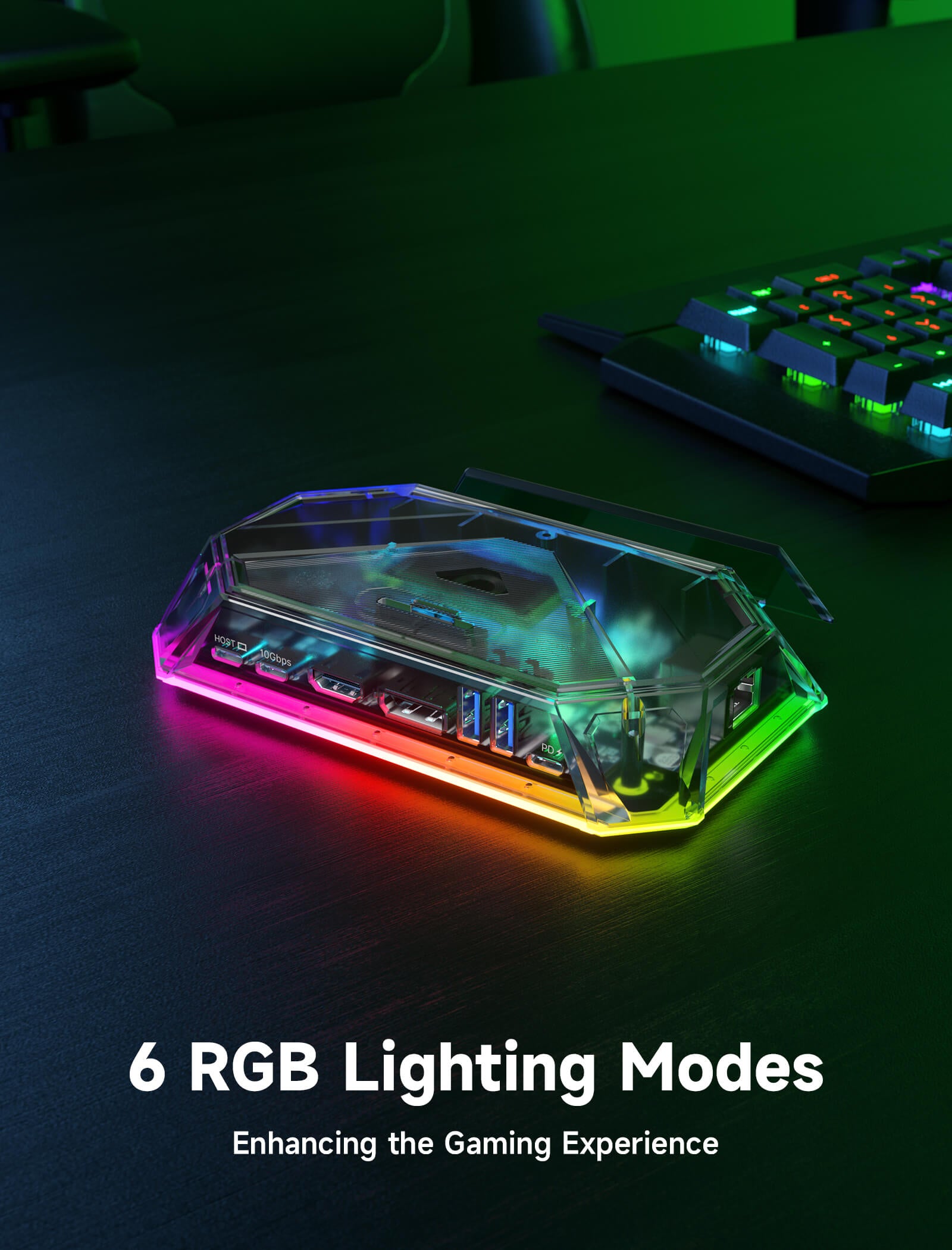
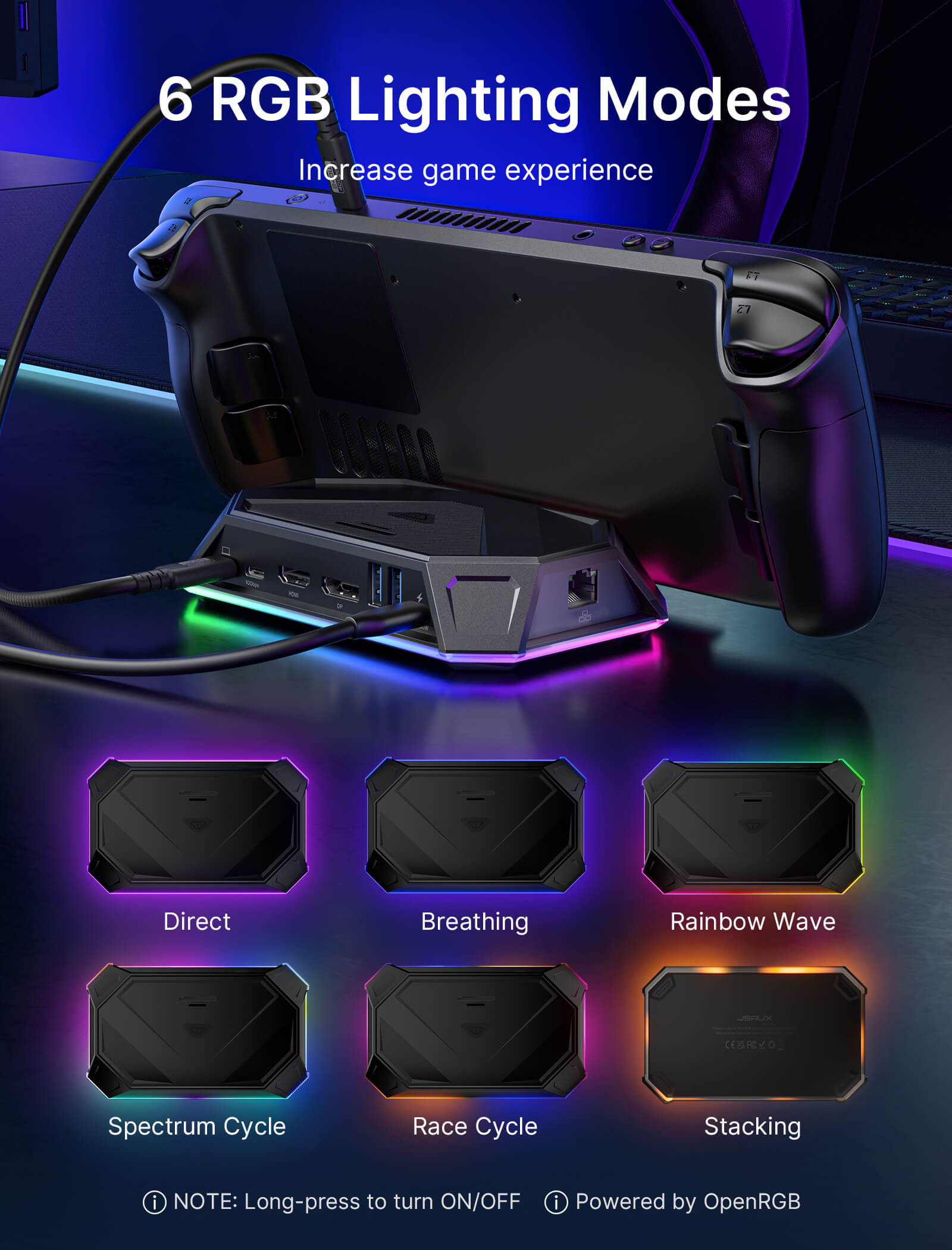
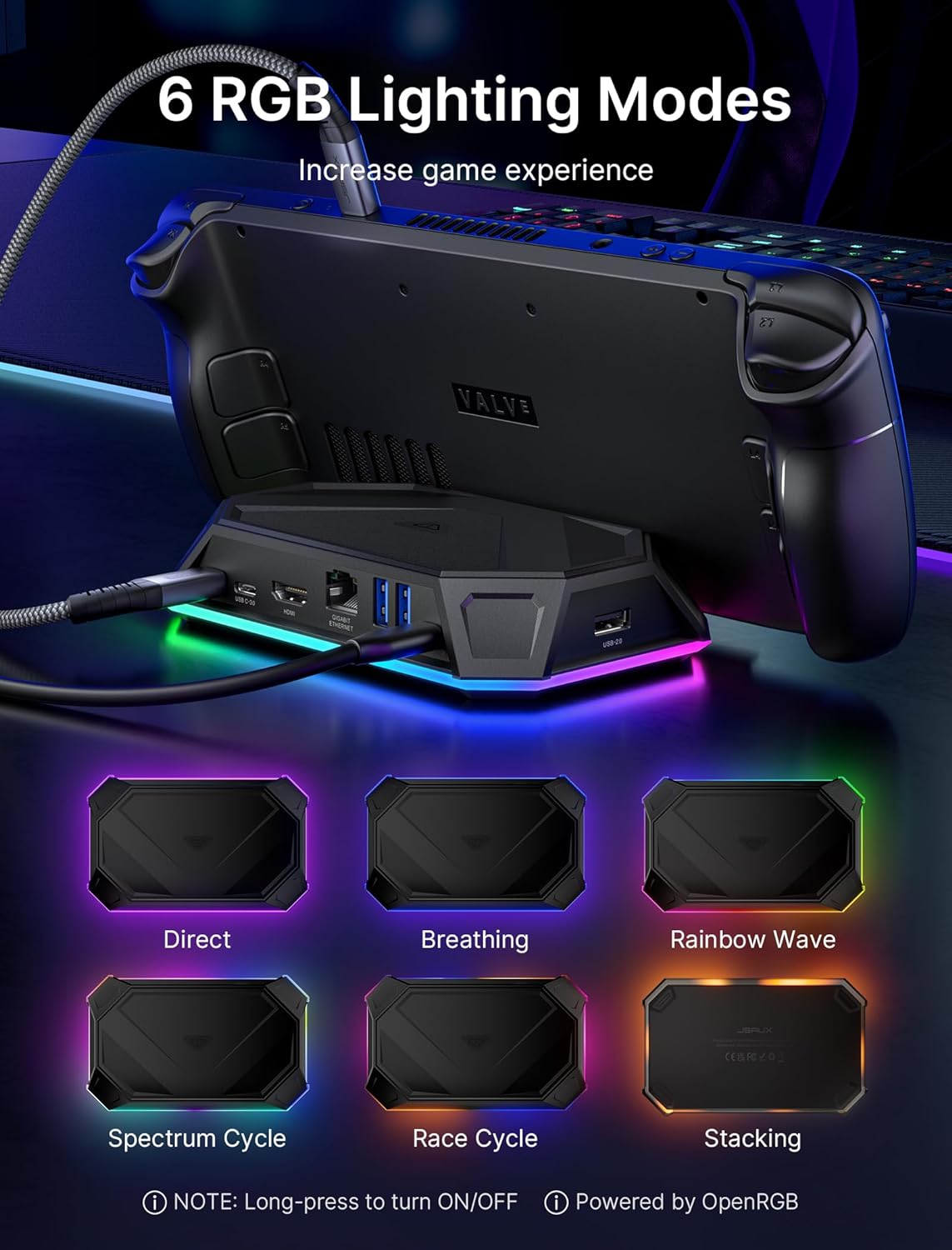
- 【Customizable RGB Lighting with OpenRGB Support】Features multiple RGB lighting modes including breathing, rainbow wave and spectrum effects, with OpenRGB software support for full PC-level customization.
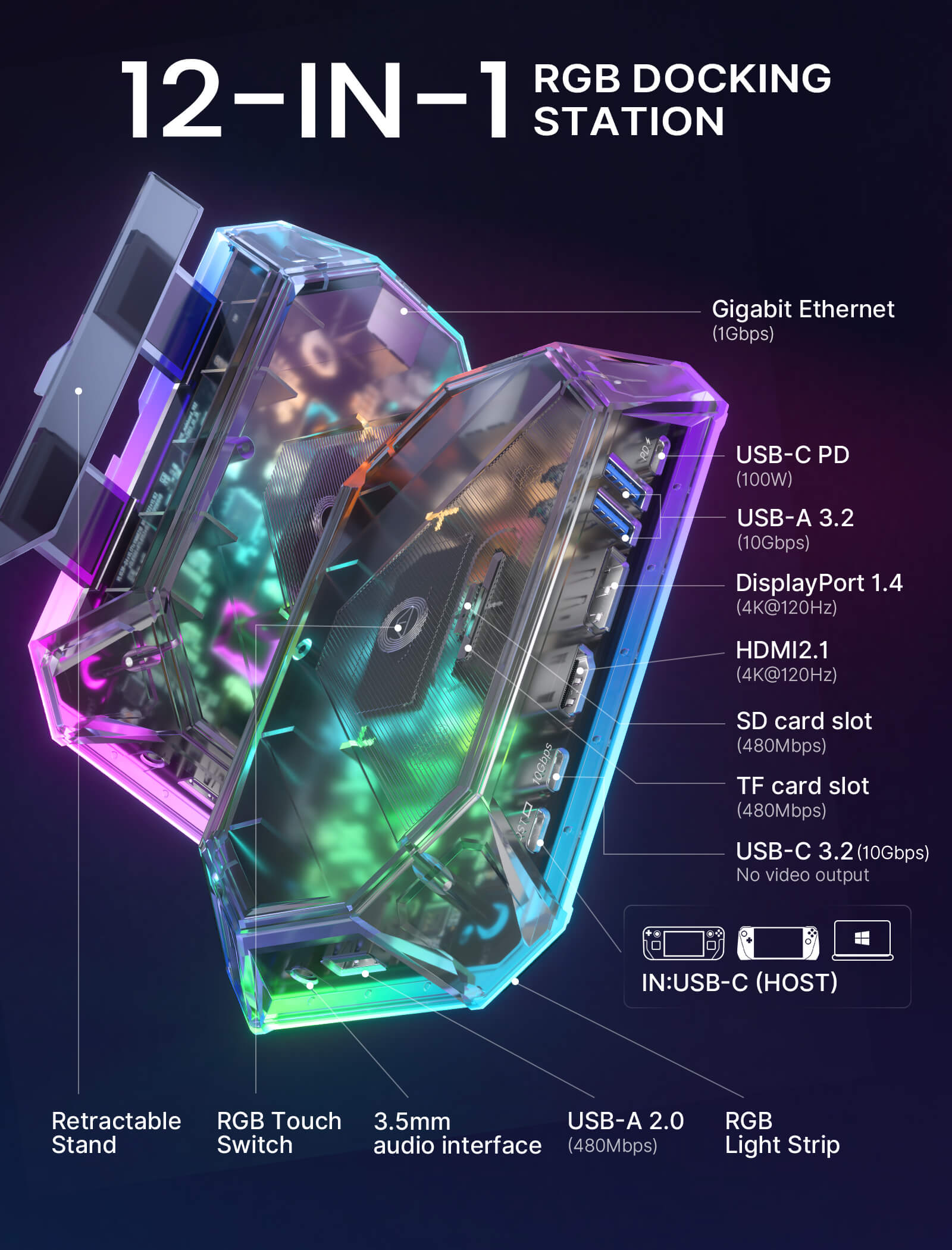
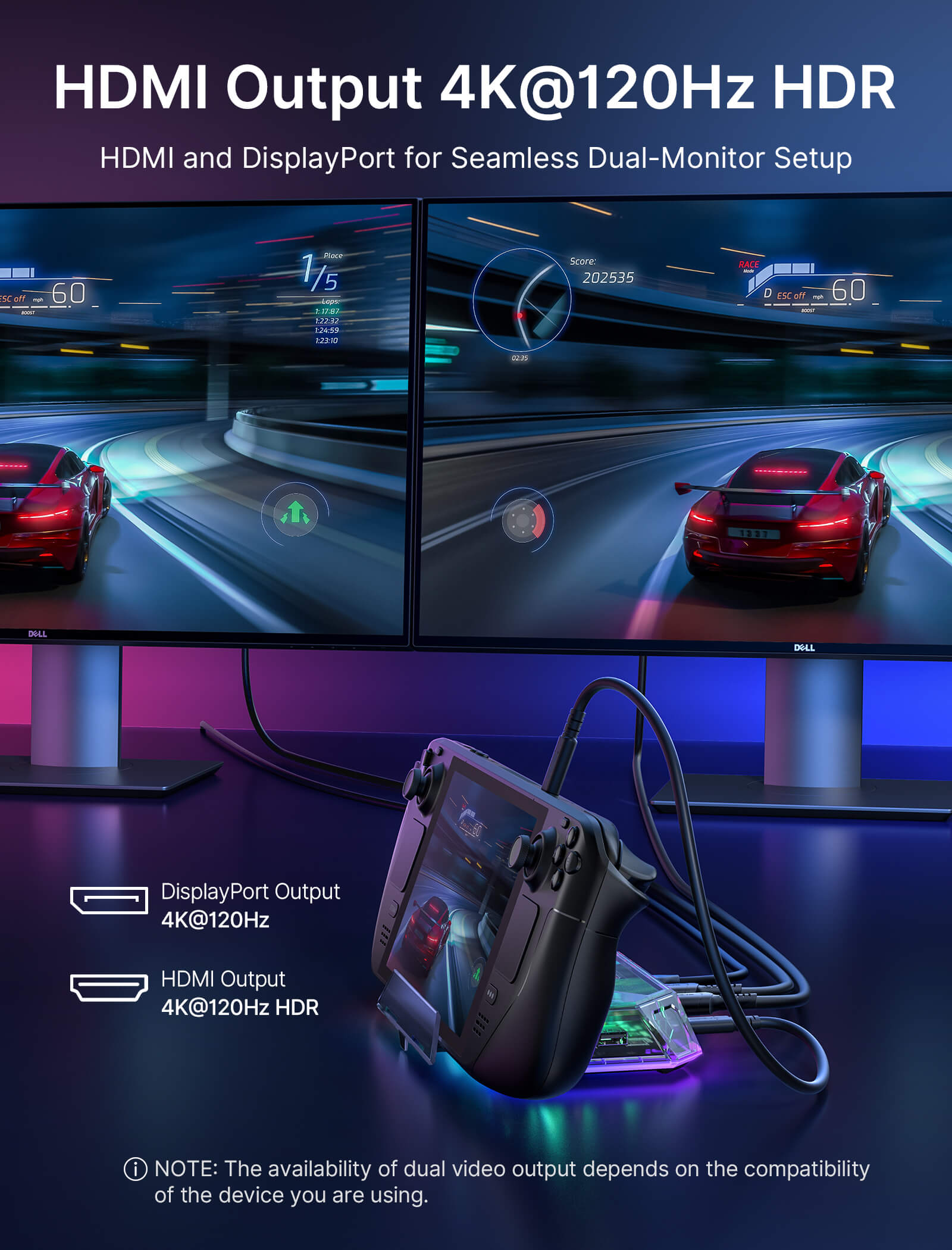
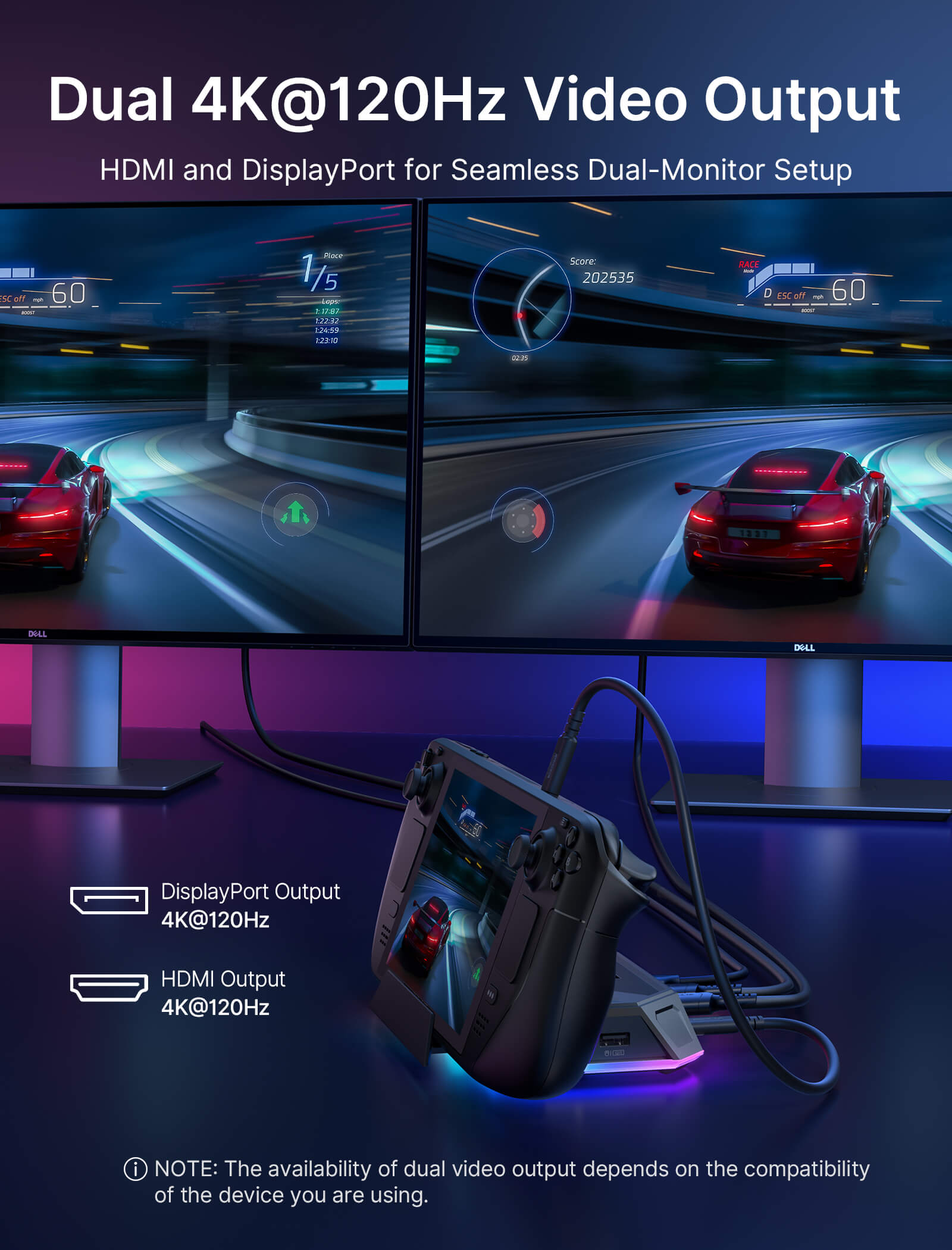
- 【Ultra 4K Output and Dual Screen Display】The HDMI and DisplayPort on this docking station support 4K@120Hz for stunning visuals on HDTVs, monitors, or projectors, perfect for both work and entertainment. It facilitates dual screen display in both mirror and extend modes for Windows (A-AA, A-BB, A-BC) and mirror mode for MAC OS (A-AA, A-BB). NOTE: Dual-screen support maxes out at 4K@60Hz or 2K@120Hz.
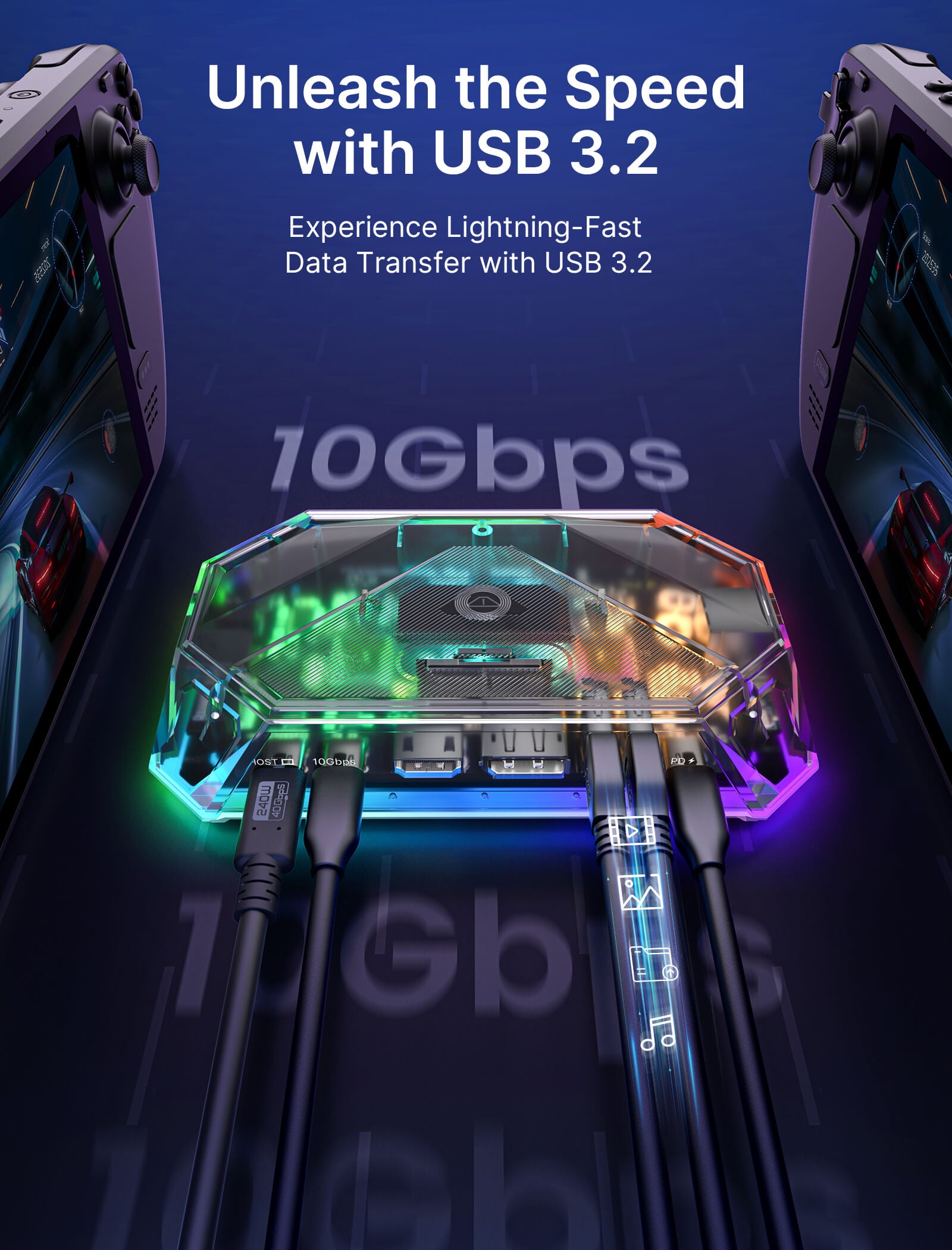
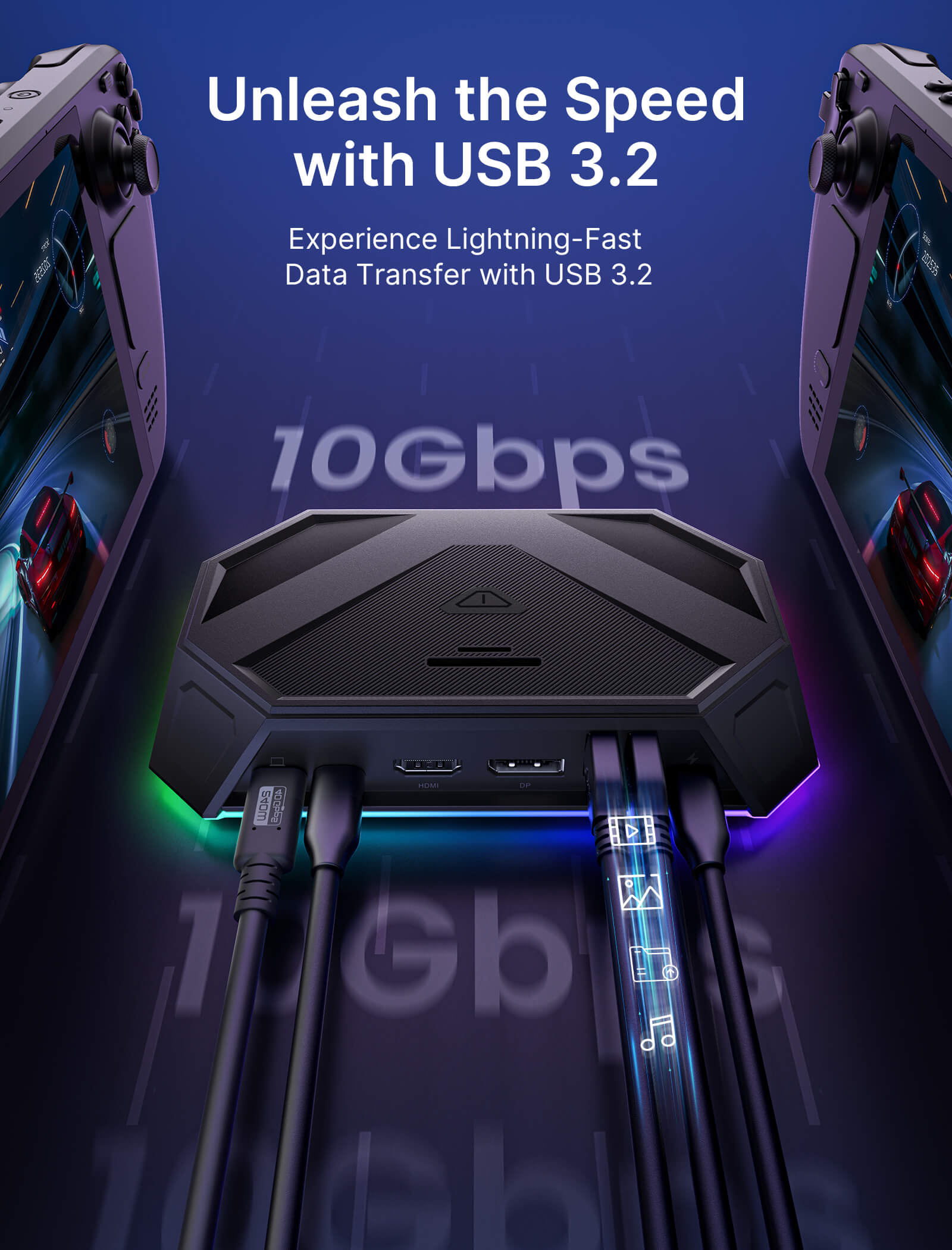
- 【10Gbps Data Transfer & PD 100W Charging】The 12-In-1 RGB Docking Station boosts your connectivity with lightning-fast multiple ports, including 2 USB A 3.2 ports & 1 USB C 3.2 port, supporting rapid data transfers up to 10Gbps. It also features a USB C PD 3.0 port capable of delivering up to 100W for fast charging of devices like Steam Deck (OLED), ROG Ally, Legion Go, MSI Claw, tablets, laptops, and more
📢Note:
- If you need to adjust the RGB lighting effect, please go to the OpenRGB official website and download the OpenRGB 0.9
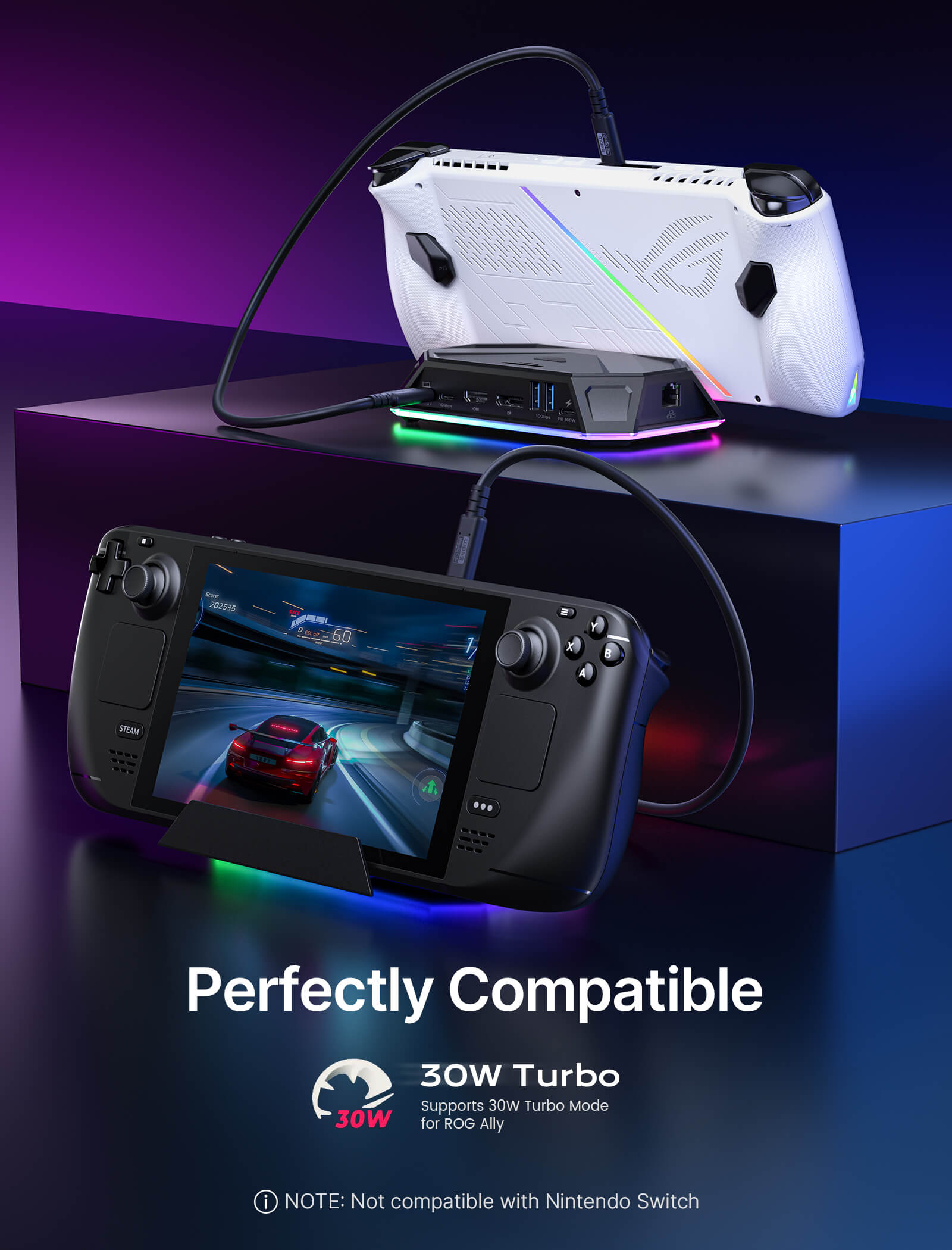
- It is recommended to use a 100W charger to better experience ROG Ally’s high-performance 30W mode.
- Open the off mode through the OpenRGB software and the entire LED will be turned off, Then turn on other modes to light up the LED; if you press the Hub touch button for 2 seconds, all modes will be turned off (you need to press and hold for two seconds to turn on the Hub light effect switch, Then you can debug other modes through OpenRGB.
- If you encounter any operational issues with your docking station, please ensure that your USB-C cable is correctly connected to the designated 'IN-USB-C' port. We highly recommend using the provided USB-C cable to establish a connection with your device to ensure optimal functionality. If you choose to use an alternative USB-C cable, please ensure that it adheres to the USB-C 3.2 standard.
- The interface labels on the docking station may differ slightly from the image, but their functionality remains the same, so there's no need for concern.
- RGB docking stations are only compatible with the bare ROG Ally X/Legion Go2/Legion Go S unit.
SPECS
12-In-1 Pro vs 8-In-1 Pro
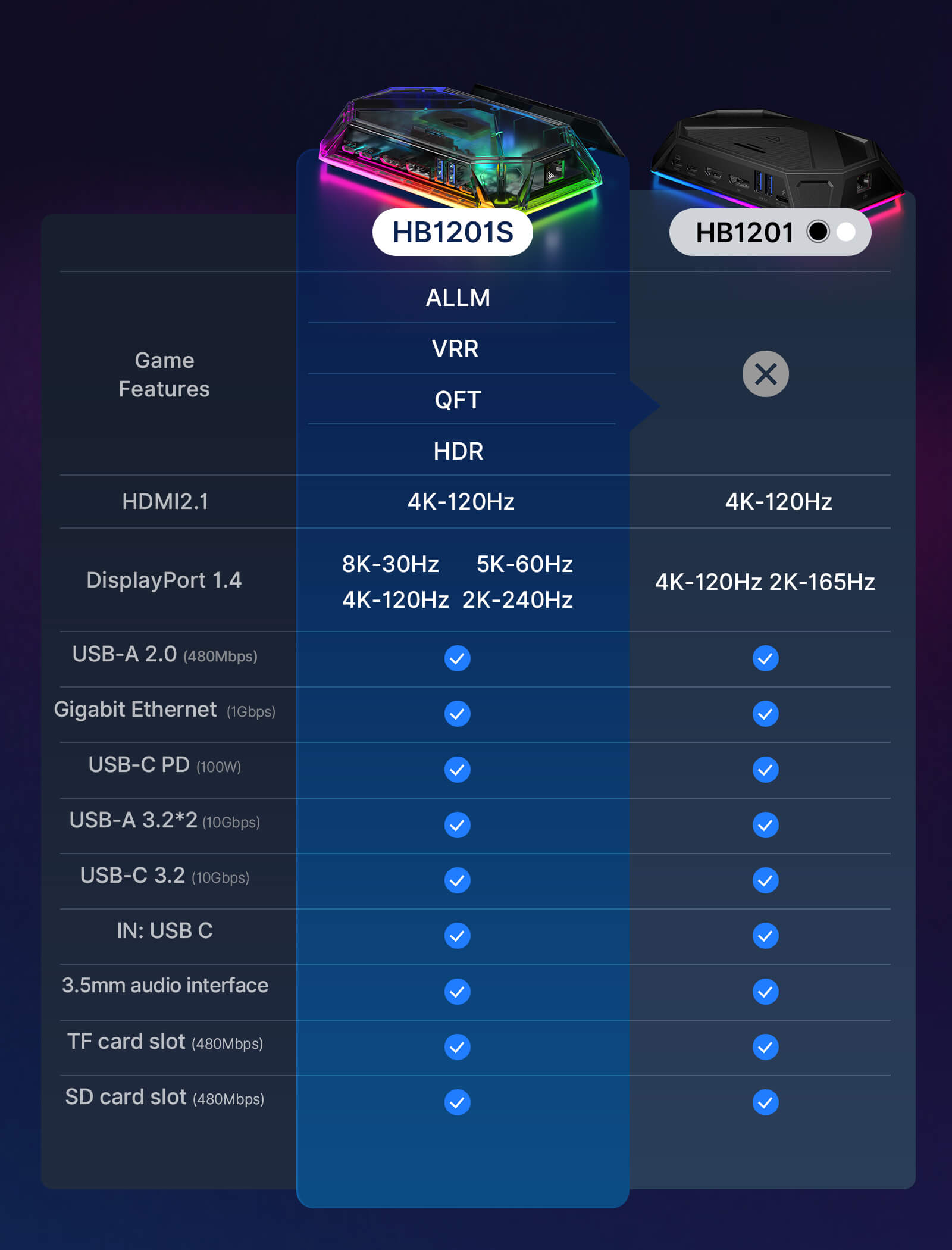
12-In-1 Pro (HB1201S)
150*92*28.2mm, 170g
Game Features:
- ALLM: Auto Low Latency Mode
- VRR (HDMI 2.1 Only): Variable Refresh Rate
- QFT: Quick Frame Transport
- HDR: High Dynamic Range
- USB-A 2.0: Support data transmission 480Mbps.
- USB-A 3.2: Support data transmission 10Gbps.
- USB-C 3.2: Support data transmission 10Gbps, support 5V/1A output.
- USB-C PD: Support PD 100W power supply.
- HDMI: Support 4K-120Hz output.
- DisplayPort: Support 8K-30Hz/5K-60Hz/4K-120Hz/2K-240Hz output.
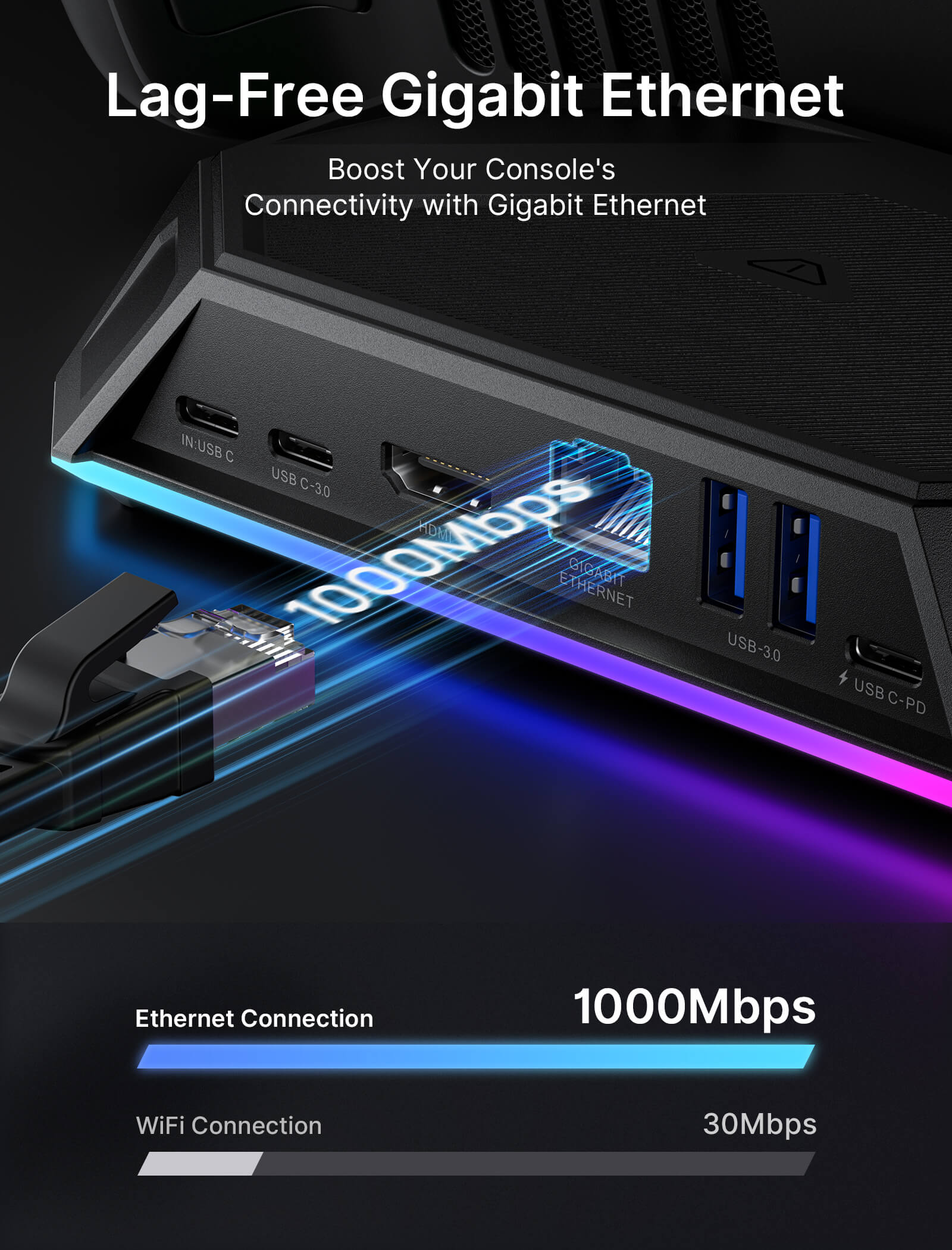
- RJ45: Support 1000Mbps input broadband, compatible with multiple systems.
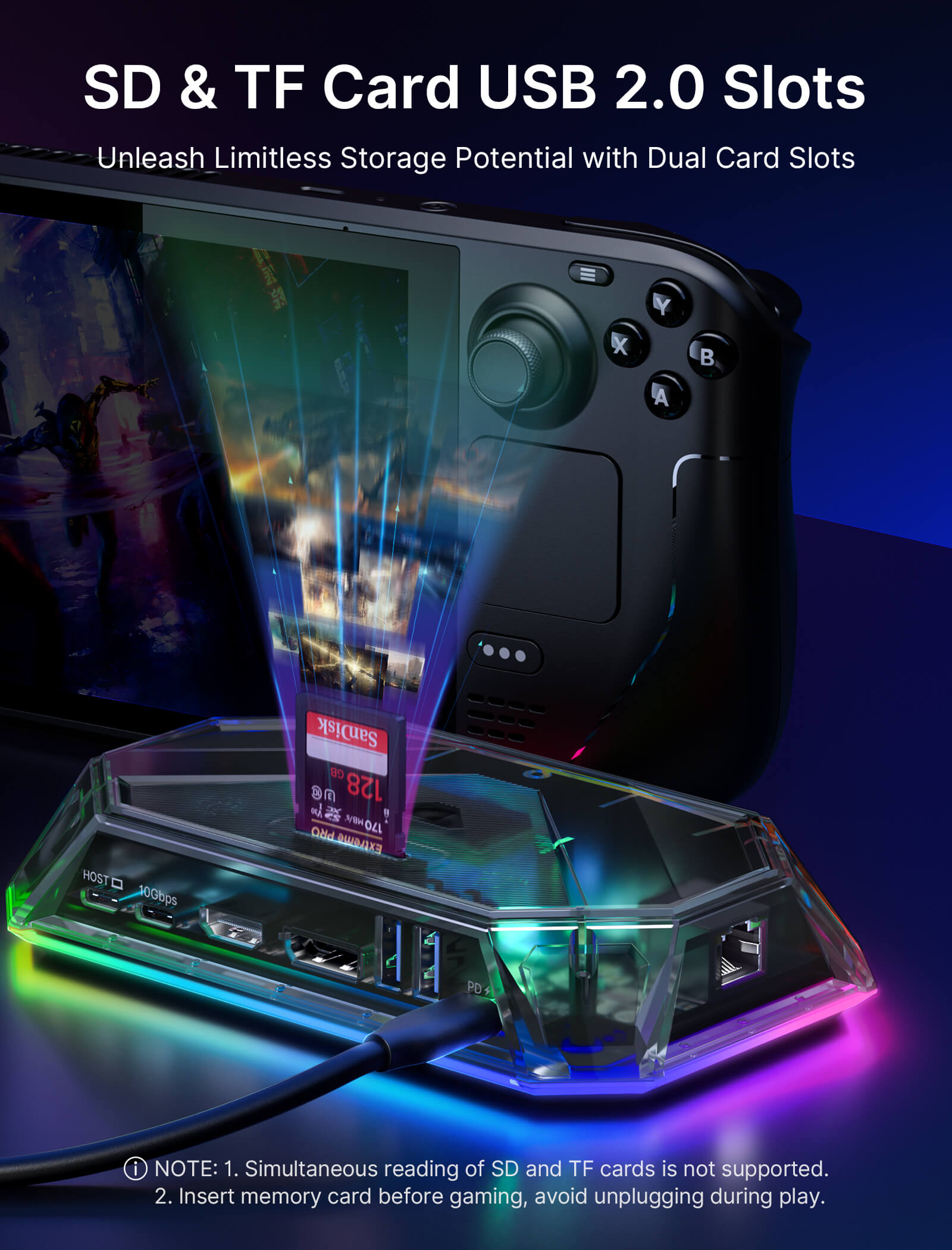
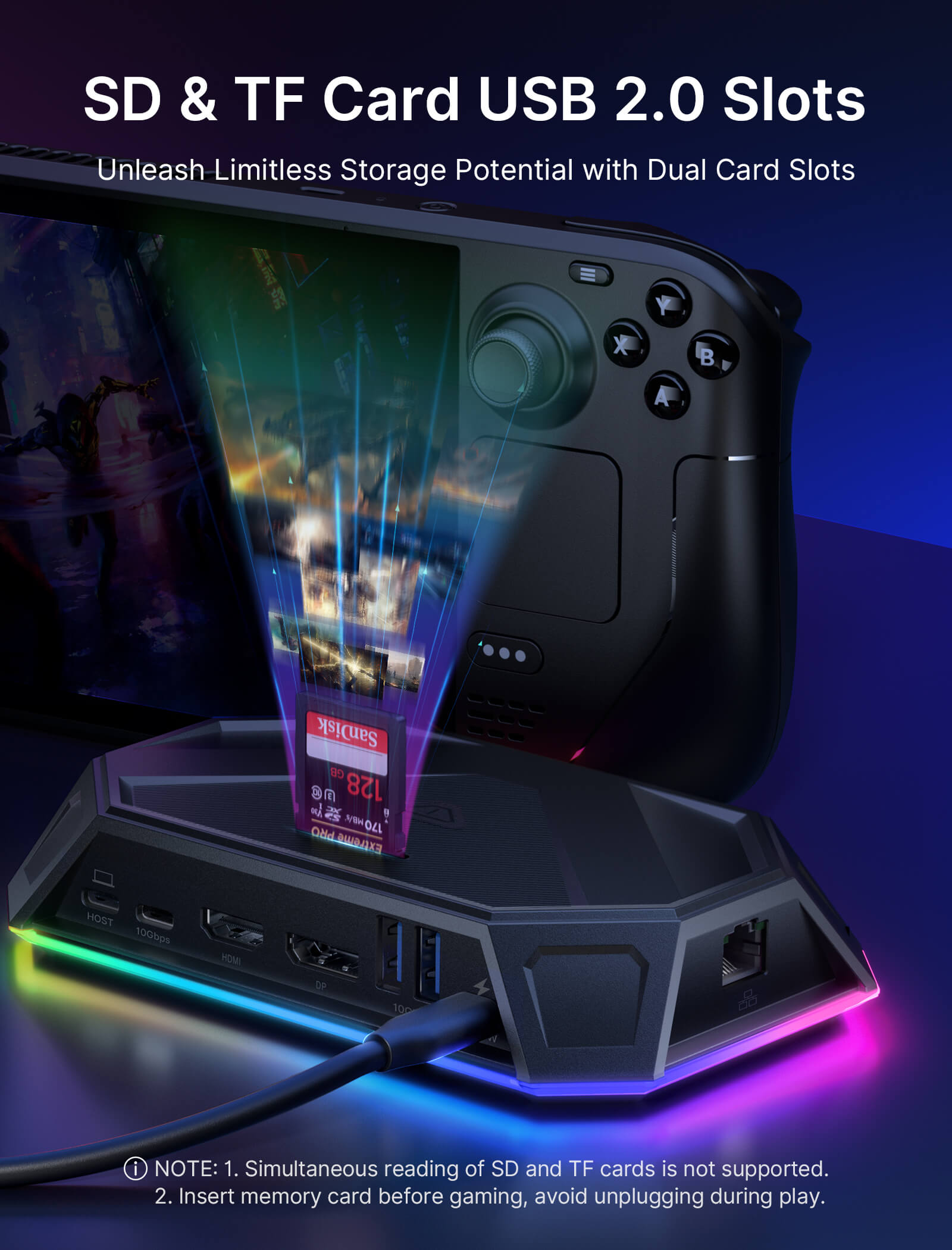
- SD/TF: Support USB 2.0 data transmission 480Mbps,
- 3.5mm Female Audio: Support American Standard Headphones.
- IN: USB-C
1* 12-In-1 Pro Dock (HB1201S)
1* USB-C to USB-C Cable
- It is recommended to use a 100W charger
- RGB docking station is only compatible with the bare ROG Ally X/Legion Go2/Legion Go S unit.
- Simultaneous reading of SD and TF cards is not supported.
- Insert memory card before gaming, avoid unplugging during play.
12-In-1 vs 8-In-1
12-In-1 (HB1201)
8-In-1 (HB0801)
150*92*28.2mm, 170g
150*92*28.2mm, 150g
- USB-A 2.0: Support data transmission 480Mbps.
- USB-A 3.2: Support data transmission 10Gbps.
- USB-C 3.2: Support data transmission 10Gbps.
- USB-C PD: Support PD 100W power supply.
- HDMI: Support 4K-120Hz/2K-144Hz output.
- DisplayPort: Support 4K@120Hz/2K-165Hz output.
- RJ45: Support 1000Mbps input broadband, compatible with multiple systems.
- SD/TF: Support USB 2.0 data transmission 480Mbps.
- 3.5mm Female Audio: Support American Standard Headphones.
- IN: USB-C
- USB-A 2.0: Support data transmission 480Mbps.
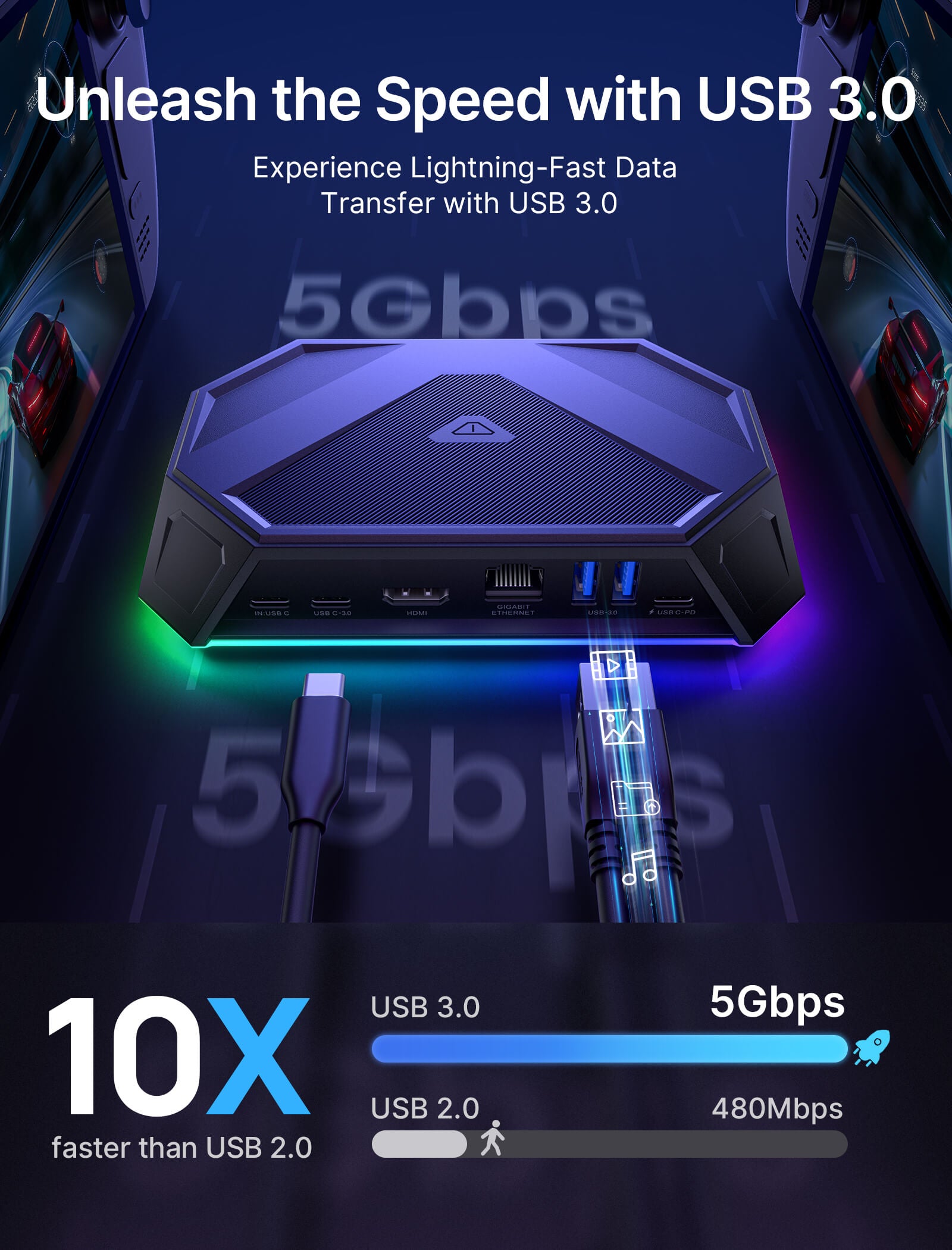
- USB-A 3.0: Support data transmission 5Gbps.
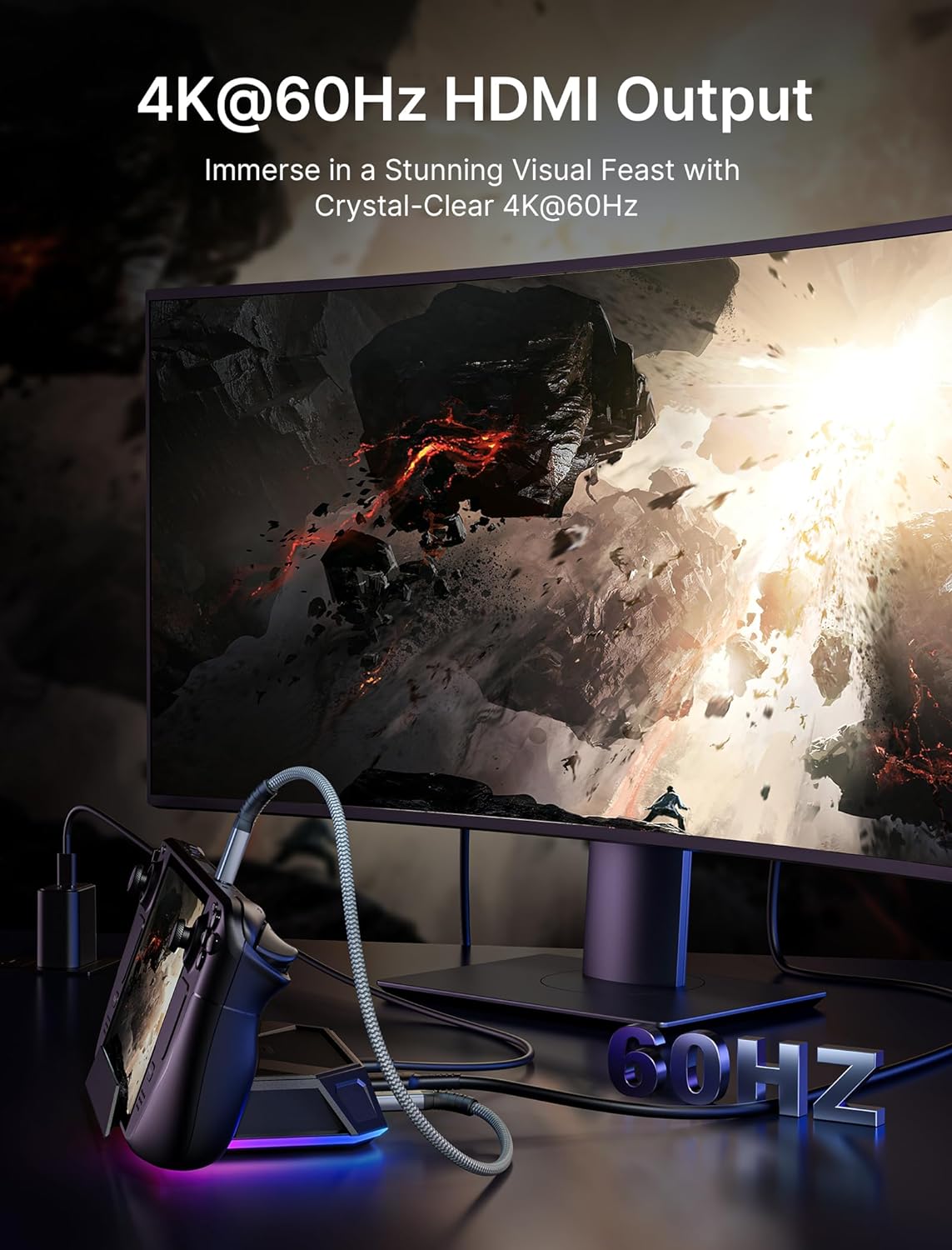
- HDMI: Support 4K-60Hz/2K-144Hz output
- USB-C 3.0: Support data transmission 5Gbps.
- RJ45: Supports 1000Mbps input broadband, and is compatible with multiple systems
- USB-C Female PD: Support PD 100W power supply
- IN: USB-C
1* 12-In-1 Dock (HB1201)
1* USB-C to USB-C Cable
1* Stickers
1* 8-In-1 Dock (HB0801)
1* USB-C to USB-C Cable
1* Stickers
- It is recommended to use a 100W charger
- 2. Dual video output display does not support 4K@120Hz output.
- RGB docking station is only compatible with the bare ROG Ally X unit.
- Simultaneous reading of SD and TF cards is not supported. Insert memory card before gaming, avoid unplugging during play.
- It is recommended to use a 100W charger
- RGB docking station is only compatible with the bare ROG Ally X unit.
SHIPPING
SHIPPING & RETURN
Please read our shipping tips carefully before you place your order
- All orders above $50 are free shipping.
- Orders under $49.99 will be charged $6.99 as shipping cost.
(Note: The above shipping policy does not apply to FlipGo. Please refer to the FlipGo product page for specific shipping details.)
Please Note:
- The current processing time for all orders takes 2-4 days(Orders are not processed on weekends).
- Order delivery time will be at 7-12 business days(pre-sale items excluded).
- International duties & taxes may apply and are not calculated at checkout.
- Shipping time for pre-sale products is subject to the instructions on the product page.
- For EU shipments, a $3 customs duty may apply per eligible physical product (virtual products excluded). The same product is charged only once per order, while bundles are charged based on the number of eligible products included. Learn More
Due to the requirements of logistics service providers:
- In order to get your order ready as soon as possible and avoid shipping issues, make sure to introduce an accurate postal address including your exact house number and any other info that may be necessary for the delivery company.
-
For mainland China & Taiwan China: For mainland China customers, please use Tmall to place your order. Hong Kong, Macao, please include your name, ID number and shipping address in traditional Chinese.
- For Saudi Arabia: Free shipping over $50 is not available. A shipping fee of $14.99 (VAT included) applies.
- Due to logistical reasons, we are temporarily not providing order services to the following countries and regions: Afghanistan, Albania, Algeria, Andorra, Angola, Anguilla, Argentina, Armenia, Aruba, Azerbaijan, Bahrain, Bangladesh, Barbados, Belarus, Bermuda, Bhutan, Bosnia & Herzegovina, Brazil, British Virgin Islands, Brunei, Burkina Faso, Burundi,Bolivia, Cambodia, Cameroon, Cayman Islands, Central African Republic, China, Christmas Island, Costa Rica, Côte d'Ivoire, Djibouti, Congo - Brazzaville, Congo - Kinshasa, Egypt, El Salvador, Ecuador,Falkland Islands, Faroe Islands,French Polynesia, Gabon, Gambia, Georgia, Ghana, Gibraltar, Greenland, Guadeloupe, Guatemala, Guernsey, Guinea, Honduras,Iceland, Indonesia, Jamaica, Jordan,Jersey, Kazakhstan, Kenya, Kiribati, Kyrgyzstan, Lebanon, Lesotho, Liberia, Liechtenstein, Maldives, Mauritius, Martinique, Moldova, Monaco,Mongolia, Montenegro, Myanmar (Burma), Namibia, Nauru, New Caledonia, Nicaragua, Niger, Nigeria, Norfolk Island, North Macedonia, Norway,Oman, Pakistan, Paraguay, Rwanda, San Marino, Senegal, Serbia, Seychelles, Solomon Islands, South Sudan, Sri Lanka, Sudan, Tajikistan, Togo, Tonga, Tunisia, Turkmenistan, Türkiye, Tuvalu, Uganda, Ukraine, Uruguay, India, Uzbekistan, Vanuatu, Vatican City, Some regions in the United States (including Alaska, Hawaii, Puerto Rico, Guam, U.S. Virgin Islands, Northern Mariana Islands, American Samoa, and military addresses such as APO (AA), FPO (AE), and DPO (AP)).
15-Days RETURN:
Our return & exchange policy will be active for 15 days from the very same day you receive your product(s) at home. For more information, please visit our Shipping Policy section.
FAQ
Q1.Difference between 12-in-1 RGB Docking Station/8-in-1 RGB Docking Station:
A1.The main difference between the two products is the number of interfaces and parameters, as follows:
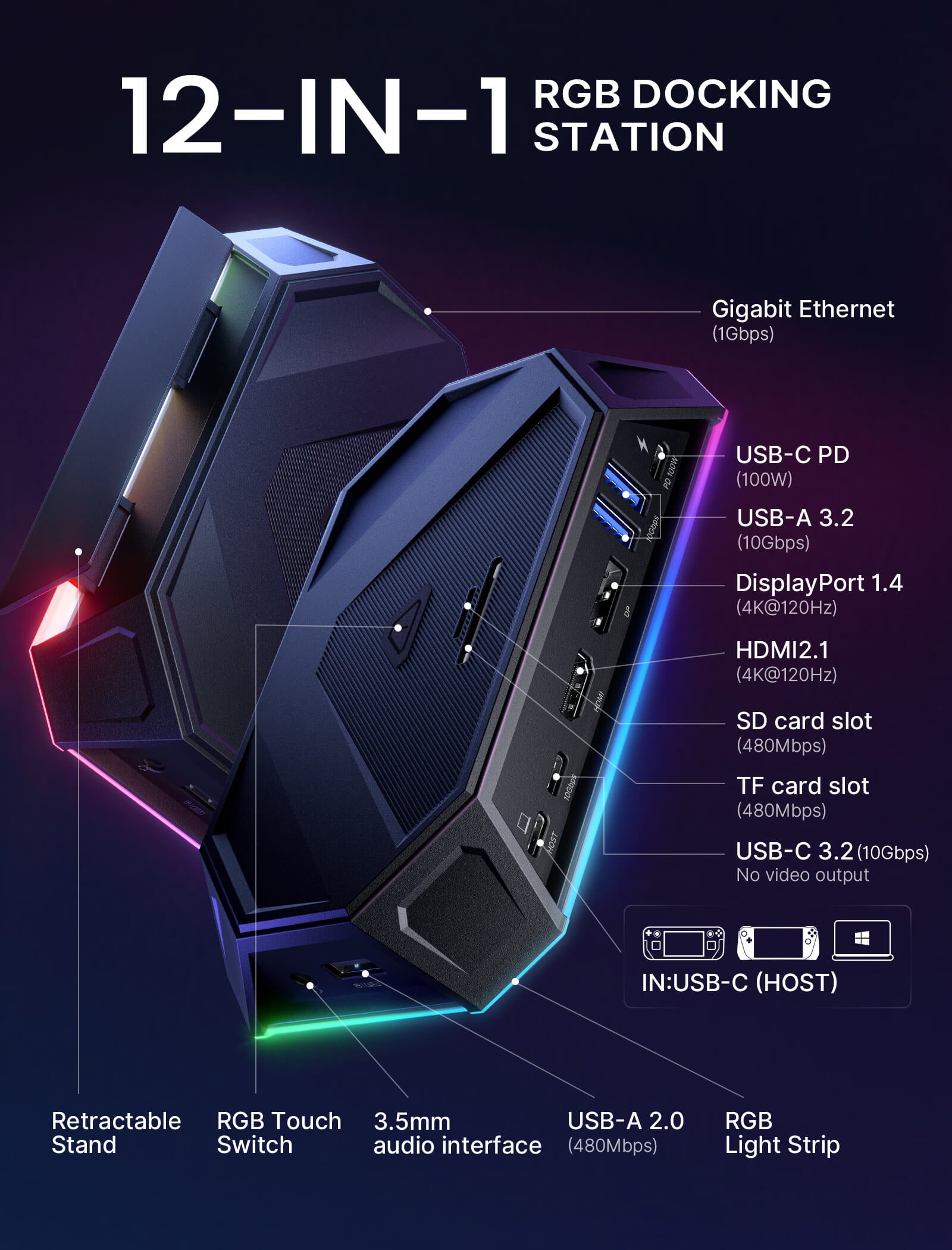
12-in-1 RGB docking station has 12 functional ports, including:1* HDMI port (4K@120Hz), 1*DisplayPort(4K@120Hz),2*USB-A 3.2 (10Gbps ), 1*USB-A 2.0(480Mbps ),1*Gigabit Ethernet port, 1*USB-C PD port, 1*3.5mm audio interface,1*IN:USB-C,1*TF card slot(480Mbps), 1*SD card slot(480Mbps) and 1*USB-C 3.2 port(10Gbps ,!!Only supports data transmission and does not support video output).
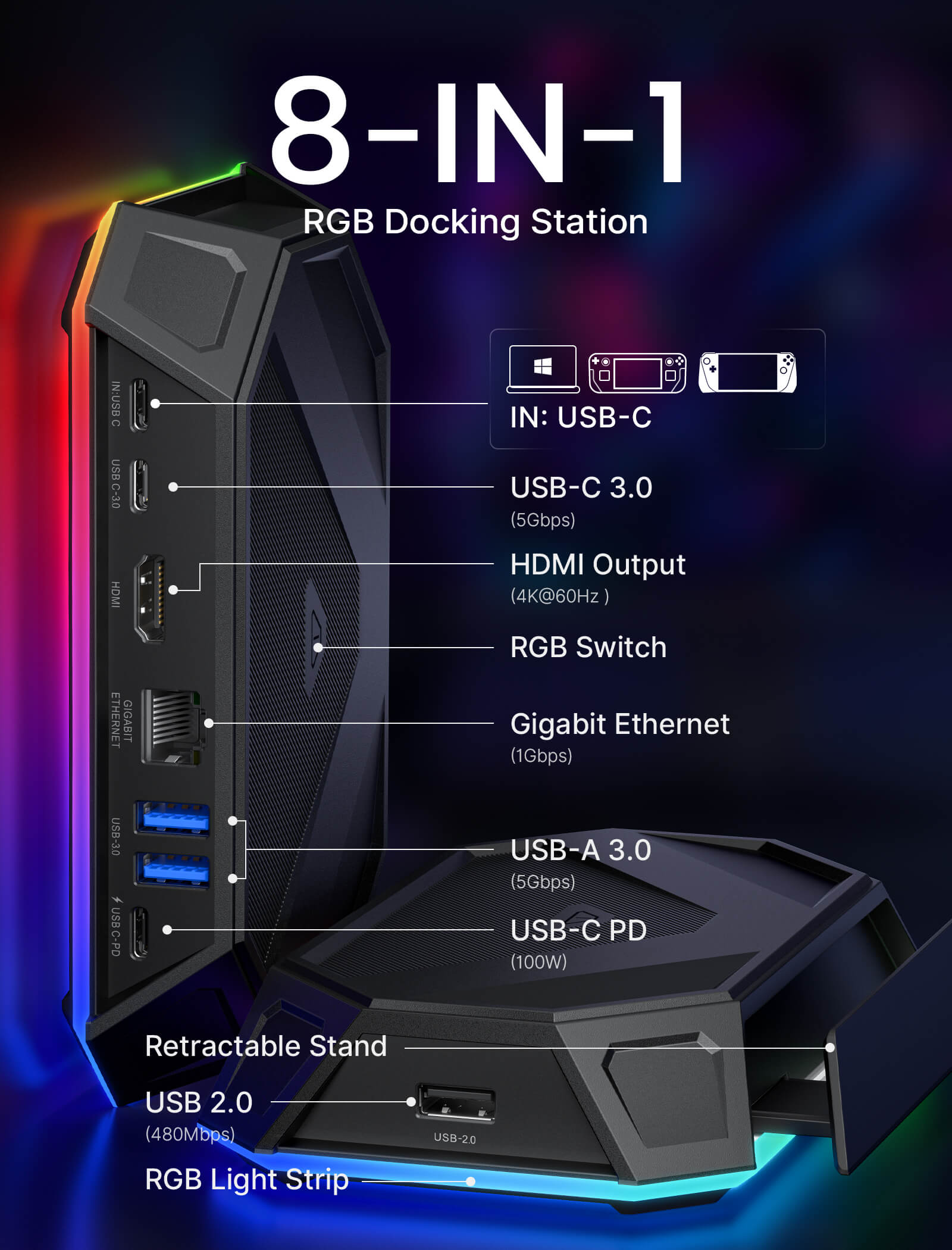
8-in-1 RGB docking station has 8 functional ports, including:1* HDMI port (4K@120Hz), 2*USB-A 3.0(5Gbps), 1*USB-A 2.0(480Mbps),1*Gigabit Ethernet port, 1*USB-C PD port, and 2*USB-C port(5Gbps ).
Q2.How to open and retract the bracket?
A2. 1. Please slightly press the middle part of the bracket, then the bracket would eject automatically, which could be adjusted to the proper size for your device.
2. When the bracket needs to be retracted, press the middle part of the bracket again.
Q3.Does this dock work with Switch?
A3.No, it's incompatible with Switch.
Q4.What's the standard of USB-C to C cable enclosed?
A4.The USB C-C cable reaches USB 3.2 standard, which maximum supports 10 Gbps and 100W charging.
Q5. How to customize my lighting effect?
A5. To use OpenRGB to customize RGB lighting effects, please follow the steps below:
Step 1, start the OpenRGB software on your Windows or Linux device.
Step 2, Connect the JSAUX RGB Dock to your device using the provided USB-C cable. Make sure to connect it to the "IN: USBC" port.
Step 3, click "Rescan Device" in the software to detect and load your dock. Once loaded, you will see your dock information displayed in the upper left corner of the software window, such as "JSAUX RGB Docking Station.
Step 4. Navigate to the "Mode" section to choose from different RGB light effect modes. Available modes typically include "Direct", "Breathing", "Rainbow Wave", "Spectrum Cycle", "Stacking" and "Race Cycle".
Step 5, you can adjust the speed, direction, and brightness of the selected light effect according to your preference. Experiment with these settings until you achieve the desired RGB lighting customization.
Q6. Why can't I enable VRR with my docking station?
A6. The docking station supports VRR function. But the performance and effectiveness of the VRR function are influenced by several factors:
●Display Compatibility: Your monitor must be VRR-compatible, supporting technologies like NVIDIA's G-Sync, AMD's FreeSync, or HDMI 2.1's VRR.
●Device and Graphics Card Support: Ensure that both your device and graphics card are VRR-capable and that all drivers are up-to-date for optimal functionality.
●Connection and Cables: Use the appropriate connection interface (e.g., DisplayPort 1.4, HDMI 2.1) and high-quality cables to facilitate effective VRR.
●Refresh Rate Requirements: VRR often requires specific refresh rates, such as 4K120Hz or 2K120Hz, to function correctly.
●Game Compatibility: Not all games support VRR. Some may need updates or specific settings adjustments to enable this feature.
●Dual Display Limitation: VRR is not supported when using dual display mode.
Please note that the VRR function may currently exhibit varying levels of stability with some handheld and may not be fully compatible with all types of monitors.
We are committed to improving this feature and recommend checking compatibility with your specific devices for the best experience.
Q7. Why can’t my ROG Ally turn on the 30W mode when connected to HB1201/HB1201S/HB0801/HB0801S using the charger (65W) provided with ROG Ally?
A7. If you encounter this situation, it is recommended that you try to use a 100W charger to connect.
This product is rated 4.6 of 5.0 stars.
It has received 105 reviews.
What Customers Are Saying on JSAUX.com